Delta Force Mobile APK Download – Latest Version for Android
now
V1.1.71
1M+
Description
Delta Force Mobile has quickly become one of the most talked-about shooting games on Android, and it’s easy to see why. It brings the kind of large-scale, tactical warfare that used to be reserved for consoles and PCs straight to your phone, complete with detailed maps, real squad-based combat, and a huge arsenal of weapons to master.
If you’re searching for a Delta Force Mobile APK download, chances are you’ve already heard about the buzz around this game, whether it’s from friends, YouTube gameplay clips, or online gaming communities. In this guide, we’ll walk you through what the game actually offers, how to get it safely on your Android phone, what your device needs to run it well, and a handful of tips to help you survive your first few matches.
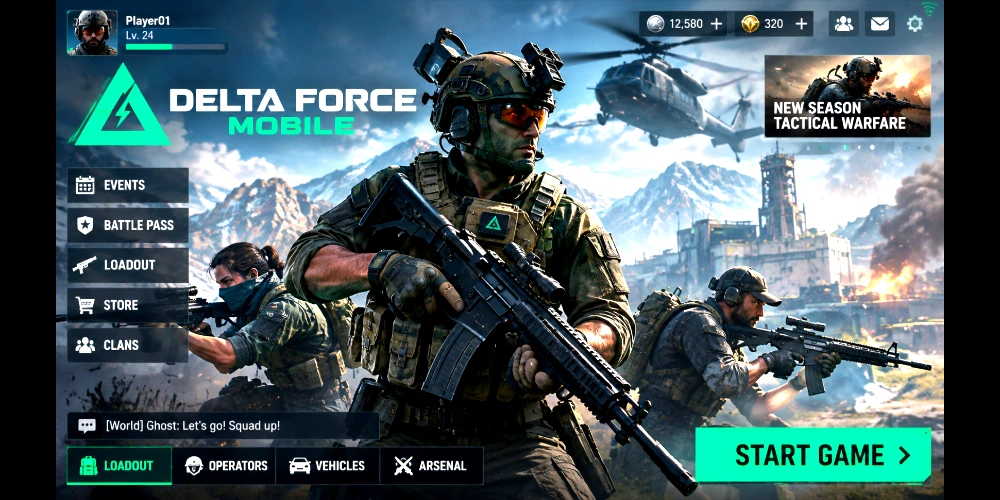
By the end of this article, you’ll know exactly what Delta Force Mobile is, how its Warfare and Operations modes work, what’s changed in the newest update, and the safest way to install it on your device.
Table of Contents
What is Delta Force Mobile?
Delta Force Mobile is a team-based tactical first-person shooter (FPS) built around large-scale battles and squad coordination. The mobile version is developed by the same team behind the popular Delta Force franchise, bringing a long-running shooter series to touchscreens without stripping away the depth that made it popular in the first place.
The game is set in modern military conflict zones, and it leans heavily on realism, from weapon handling to vehicle combat and terrain-based strategy. Rather than fast, arcade-style shootouts, Delta Force Mobile rewards players who think about positioning, teamwork, and map awareness.
At its core, the objective changes depending on the mode you’re playing. In Warfare, large teams fight to capture and hold key points across sprawling maps. In Operations, smaller squads drop into a map to complete objectives and extract valuable loot before enemy players, or the environment itself, can take them down.
Part of the reason Delta Force Mobile has picked up so much attention is timing. Mobile FPS fans have spent years asking for a shooter that feels closer to a PC or console experience instead of a scaled-down clone, and this game leans directly into that gap. Large maps, vehicle combat, and squad-based objectives give it a scope that many other mobile shooters simply don’t attempt.
It also helps that the game is genuinely free to play, with no upfront cost to try it out. That low barrier to entry, combined with regular content drops, is a big part of why the player base has grown quickly since launch.
Delta Force Mobile Features
What sets Delta Force Mobile apart from a lot of other Android shooters is how much detail has gone into both the visuals and the mechanics. Nothing here feels like a stripped-down port; the developers clearly built this version with mobile hardware in mind from the start, rather than shrinking a PC game and hoping it still plays well on a touchscreen. Here’s a rundown of what you can expect.
- High-quality graphics: Detailed environments, realistic lighting, and smooth animations that hold up well even on mid-range phones.
- Tactical gameplay: Cover-based combat, squad communication, and objective-based missions instead of simple run-and-gun action.
- Multiple game modes: Large-scale Warfare battles and Operations-style extraction missions, each with a different pace and strategy.
- Large, detailed maps: Sprawling battlefields with multiple approach routes, verticality, and destructible elements.
- Weapon customization: Attachments, skins, and loadout tweaks that let you build a rifle or loadout around your own playstyle.
- Team battles: Coordinated squad plays with roles like assault, support, and recon.
- Vehicles: Tanks, helicopters, and other vehicles that add another layer to how battles unfold.
- Realistic sound effects: Directional audio that helps you track footsteps, gunfire, and vehicles nearby.
- Smooth touch controls: Customizable control layouts, including options for gyroscope aiming and auto-sprint.
- Frequent updates: New maps, weapons, and balance changes are released on a regular schedule.
Delta Force Mobile Gameplay
Gameplay in Delta Force Mobile is built around two main pillars: large-team Warfare battles and smaller, high-stakes Operations missions. Both modes share the same solid gunplay, but they feel quite different to play.
In Warfare, you’ll join large squads competing to control key points on the map, push objectives, and coordinate with vehicles and air support. It plays a lot like a classic large-scale multiplayer shooter, with a strong emphasis on teamwork and map control.
Operations mode takes a different approach, closer to an extraction shooter. Small squads drop into a map, complete objectives or gather gear, and then have to fight their way to an extraction point while other players, and sometimes AI enemies, try to stop them. Losing a match here can mean losing your loadout, which adds real tension to every decision.
Beyond the core modes, there are PvP playlists for players who want quicker, more direct matches, along with a progression system that rewards you with weapons, cosmetics, and account levels as you rack up playtime and match performance.
Progression ties directly into how your loadouts evolve over time. Early matches unlock basic weapons and attachments, and as your account level climbs, you gradually gain access to more advanced gear, operator customization, and higher-tier cosmetics. This keeps a sense of steady improvement running through both Warfare and Operations, so there’s always something new to work toward beyond just winning the next match.
Team strategy matters more than raw aim in a lot of engagements. Coordinating pushes, calling out enemy positions, and covering teammates while they revive or reposition often decides fights before a single shot is fired from close range.
What’s New in the Latest Version?
Delta Force Mobile receives updates on a fairly regular basis, and recent versions have focused on expanding content while smoothing out performance.
- New maps have been added to both Warfare and Operations rotations, giving players fresh terrain to learn.
- New weapons and attachments, along with balance changes to existing guns.
- Bug fixes addressing crashes, matchmaking hiccups, and UI glitches reported by the community.
- Performance improvements aimed at lower-end and mid-range Android devices.
- Gameplay enhancements, including tweaks to movement, hit registration, and vehicle handling.
Because the developers push updates fairly often, it’s worth checking the in-game update notes each time a new version rolls out, since patch details can change from one release to the next.
Delta Force Mobile System Requirements
| Requirement | Minimum | Recommended | Notes | Internet |
| Android Version | Android 9.0 | Android 11 or newer | Older builds may block install | Required |
| RAM | 4 GB | 6 GB or more | More RAM keeps matches smooth | — |
| Storage | 3 GB free | 6 GB free | Extra space needed for updates | — |
| Processor | Snapdragon 660 class | Snapdragon 720G or higher | Newer chipsets unlock higher settings | — |
| Internet Requirement | 4G mobile data | Stable Wi-Fi | Game is online-only | Always on |
These numbers are a general guide. If your phone sits right at the minimum requirements, you can still play, but expect to lower graphics settings for a smoother frame rate.
How to Download Delta Force Mobile
Delta Force Mobile is a free-to-play title that’s officially published on the Google Play Store, which makes it the safest and simplest way to get the game on your Android phone.
- Open the Google Play Store on your Android device.
- Search for “Delta Force” in the search bar.
- Confirm the listing matches the official publisher before tapping Install.
- Wait for the download to finish; the initial install is large, so a stable Wi-Fi connection is recommended.
- Once installed, open the app and allow it to download any additional resource files it needs on first launch.
Because the game is actively maintained on the Play Store, installing it this way means you always get the latest official build along with automatic updates, without needing to hunt down an APK file from a third-party website.
Is It Safe to Install Delta Force Mobile?
Yes, when you install it the right way. Since Delta Force Mobile is available directly through the Google Play Store, there’s no need to download an APK file from an unofficial source just to play it.
Third-party APK download sites are a common target for repackaged or tampered game files, which can carry malware, adware, or hidden permissions you never agreed to. Sticking to the official Play Store listing, or the game’s official website if you ever need an alternate installer, avoids that risk entirely.
- Only install from the Google Play Store or the game’s official website.
- Check that the publisher name on the listing matches the official developer.
- Avoid APK files shared through random forums, chat groups, or unfamiliar download sites.
- Keep Google Play Protect turned on for an extra layer of scanning.
- Review app permissions after install and only grant what the game genuinely needs.
It’s also worth remembering that shooter games with in-game purchases are a common target for scam listings and fake “free unlock” tools promising free skins or currency. Treat any offer like that as a red flag, and only spend through the official in-game store.
Community and Competitive Play
Delta Force Mobile has been building a fairly active competitive scene, with organized squads forming around ranked Operations runs and Warfare team play. Voice chat groups, Discord communities, and in-game clans have become a normal part of the experience for players who want more structure than jumping into random matches.
If you’re the type of player who enjoys climbing a ranked ladder or coordinating strategy with a set squad, it’s worth exploring the clan and team features early on, since finding a consistent group tends to make both Warfare and Operations noticeably more enjoyable.
Pros and Cons
| Pros | Cons |
| Free to download and play | Large download and update size |
| Console-quality graphics on mobile | Needs a mid-range or better phone for smooth play |
| Multiple modes: Warfare, Operations, and more | Matchmaking can take a few minutes at times |
| Deep weapon customization | Learning curve for brand-new FPS players |
| Regular content updates and new maps | Always-online requirement, no offline mode |
Delta Force Mobile Tips for Beginners
New to the game? These beginner-friendly tips can help you avoid common early mistakes.
- Finish the tutorial fully; it explains core mechanics you’ll rely on constantly.
- Adjust your control layout before jumping into ranked or Operations matches.
- Start in Warfare mode to get comfortable with gunplay before trying Operations.
- Use cover and avoid running across open ground in straight lines.
- Play with a mic or text callouts if you can; squad communication wins matches.
- Don’t overspend your early currency on cosmetics; save some for useful gear.
- Learn one or two weapons well instead of switching loadouts every match.
- Watch the minimap constantly to track teammates and enemy activity.
- In Operations, extract early on losing runs rather than chasing a comeback.
- Lower graphics settings if you notice frame drops during big fights; smooth performance matters more than visual detail in a firefight.
Frequently Asked Questions (FAQ)
Is Delta Force Mobile free to download?
Yes, Delta Force Mobile is free to download and play, with optional in-game purchases for cosmetics and other extras.
What is the difference between Warfare and Operations mode?
Warfare is a large-scale team battle focused on capturing objectives, while Operations is a smaller-squad extraction mode where you complete objectives and try to escape the map with your gear intact.
Can I play Delta Force Mobile offline?
No, the game requires a stable internet connection at all times since all modes are online multiplayer.
How big is the Delta Force Mobile APK and download size?
Total storage needs vary by device and can grow with updates, so it’s best to keep at least 6 GB of free space to be safe.
What Android version do I need?
Android 9.0 or higher is generally required, though a newer version like Android 11 or above gives a smoother experience.
Does Delta Force Mobile support controllers?
Many devices support external controllers for the game, though touchscreen controls remain the default and are fully customizable.
Is there cross-play between mobile and PC?
Some Delta Force titles support cross-platform play; check the in-game settings or official announcements for the most current cross-play details.
How do I fix lag or stuttering in Delta Force Mobile?
Lower your graphics settings, close background apps, and connect to a stable Wi-Fi network to reduce lag during matches.
Is Delta Force Mobile safe to install?
Yes, as long as you download it from the official Google Play Store listing rather than an unverified third-party site.
How often does Delta Force Mobile get updated?
The developers release updates fairly regularly, typically adding new maps, weapons, and balance changes along with bug fixes.
Can beginners enjoy Delta Force Mobile, or is it only for experienced FPS players?
Beginners can absolutely enjoy it. The tutorial and lower-pressure Warfare matches offer a good entry point before moving into more intense Operations runs.
Conclusion
Delta Force Mobile brings genuinely impressive, large-scale tactical shooting to Android, backed by strong visuals, deep customization, and modes that suit both casual squads and more serious competitive players. Whether you’re drawn in by big Warfare battles or the tension of Operations extraction runs, there’s a lot here to sink your teeth into.
If you’ve been looking into a Delta Force Mobile APK download, the safest and simplest route is the official Google Play Store listing, which keeps you on the latest version with automatic updates and none of the risk that comes with third-party APK sites. Grab the official install, work through the tutorial, and jump into your first match.