DeepSeek AI: How to Use DeepSeek for Free
now
60.2 MB
2.5.1
500M
Description
DeepSeek went from an unfamiliar name to one of the most-downloaded apps in the world within about two weeks of its January 2025 launch, when its reasoning model briefly overtook ChatGPT on the US App Store charts. Since then, it’s kept shipping — the current DeepSeek V4 family arrived in 2026 — and it remains free to use for anyone with an email address. This guide covers what DeepSeek actually is, how to start using it for free today, what it’s good at, and what you should know before typing anything sensitive into it.
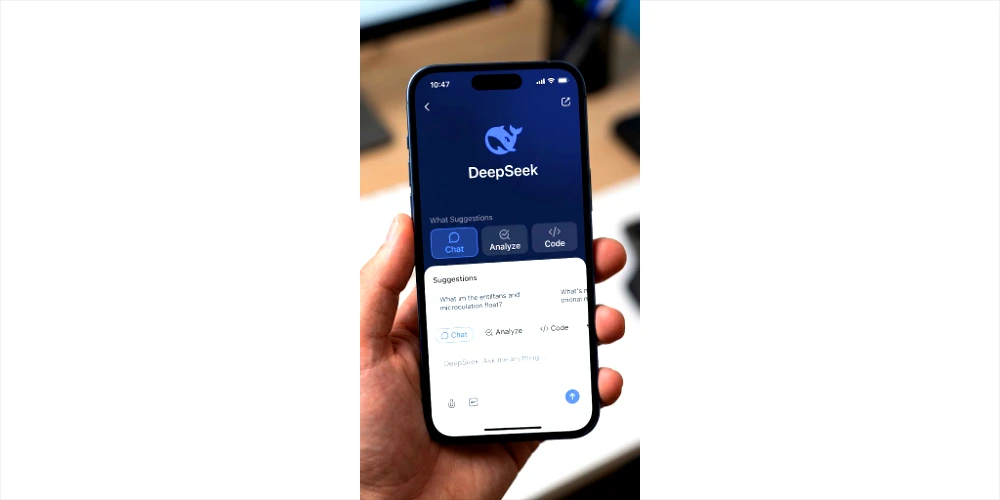
Table of Contents
What Is DeepSeek AI?
DeepSeek is an AI chatbot built by Hangzhou DeepSeek Artificial Intelligence Co., Ltd., a Chinese AI research company founded in 2023 by Liang Wenfeng and backed by the hedge fund High-Flyer. Like ChatGPT, Claude, or Gemini, it’s a large language model you talk to in plain English (or dozens of other languages) — it can answer questions, write and edit text, explain and debug code, and work through multi-step reasoning problems.
What set DeepSeek apart early on was cost efficiency: its team trained frontier-level models for a fraction of what US labs were reportedly spending, and made the models available cheaply — including free chat access — while competitors charged more for comparable performance. That efficiency story, combined with genuinely strong benchmark results, is why DeepSeek attracted so much attention so quickly.
Is DeepSeek Free?
Yes, with an important distinction between two different products:
- The chat app and website (chat.deepseek.com, plus the iOS and Android apps) are free to use. DeepSeek’s own app materials describe the mobile app as free with no ads and no in-app purchases, and coverage of the product has generally reported no hard cap on the number of chat messages you can send.
- The developer API, which lets businesses and developers build DeepSeek’s models into their own software, is a separate, paid, usage-based product priced per token. This is where “DeepSeek is free” claims usually break down — the API is not free, even though the consumer chat product is.
Free features and limits can change without much notice, so treat this as a snapshot rather than a permanent guarantee — check the current terms on DeepSeek’s official website before relying on anything time-sensitive.
How to Use DeepSeek for Free
Step 1: Visit the Official Website
Go to chat.deepseek.com, the official web chat. This avoids the many unofficial lookalike sites and “DeepSeek demo” pages that have sprung up — some are harmless free mirrors, but you have no way to verify what they do with what you type.
Step 2: Create or Sign In to Your Account
DeepSeek requires an account, created with an email address (Gmail, Yahoo, and similar providers work). There’s no way to use the full product anonymously without signing in.
Step 3: Open the Chat Interface
Once logged in, you’ll see a simple chat window similar to ChatGPT or Claude: a text box at the bottom, a running conversation above it, and toggles for extra modes — DeepSeek’s reasoning mode (often labeled DeepThink) and, on some plans, a web search toggle.
Step 4: Enter Your Prompt
Type your question or task in plain language. You can ask it to write, summarize, explain, translate, or code — see the prompt examples below for realistic starting points.
Step 5: Improve the Response
Treat the first answer as a draft. Ask follow-up questions, request a different tone or format, or point out what’s missing — conversational back-and-forth is where these tools tend to produce their most useful output.
Step 6: Verify Important Information
Before you rely on anything DeepSeek tells you for a decision that matters — medical, legal, financial, academic, or professional — double-check it against a source you trust. Like every current AI chatbot, DeepSeek can state incorrect information confidently.
Real Prompt Examples
Writing: “Rewrite this paragraph to sound more confident and cut it by 20%: [paste paragraph]”
Study: “Explain photosynthesis to a 15-year-old using one real-world analogy, then give me three practice questions.”
Coding: “Here’s a Python function that’s throwing an IndexError: [paste code]. Explain what’s causing it and fix it.”
Research: “Organize these five article summaries into a comparison table by theme, methodology, and conclusion: [paste summaries].”
Translation: “Translate this into conversational Spanish, not formal: ‘Thanks for your patience, we’ll have this sorted by Friday.'”
Business: “Draft a one-page lean business plan for a mobile car detailing service, including target customer, pricing model, and first-90-days marketing plan.”
Best Uses of DeepSeek AI
Writing — blog outlines, first drafts, rewriting for tone, summarizing long documents, brainstorming headlines.
Education — explaining concepts at different difficulty levels, generating practice questions, building study notes, language practice.
Coding — explaining unfamiliar code, finding bugs, generating example snippets, learning new languages or frameworks.
Research — organizing scattered notes, drafting outlines, comparing sources, generating questions you hadn’t thought to ask.
Productivity — email drafts, meeting agendas, task lists, light document organization.
In every case, treat DeepSeek as a fast first pass, not a finished, fact-checked product.
DeepSeek for Students
Students can reasonably use DeepSeek to get concepts explained a different way, generate practice problems, build revision notes, draft study schedules, or get conversational language practice. Where it gets risky is submitting AI output as your own original work — most schools and universities have explicit policies against this, and violating them carries real consequences. Use it to understand material and check your own reasoning, not to write the assignment for you.
DeepSeek for Writers and Bloggers
Bloggers can use DeepSeek for topic research, outline generation, headline options, drafting FAQ sections, and editing passes. It’s genuinely useful for getting past a blank page. What it can’t replace is your own expertise, direct experience, and fact-checking — search engines and readers increasingly reward content that reflects real, verified knowledge, and generic AI-drafted filler published at scale, with no added value, tends to get penalized rather than rewarded. Use DeepSeek to move faster, not to skip the parts that make writing worth reading.
DeepSeek for Coding
DeepSeek’s models have consistently scored well on public coding benchmarks like SWE-bench and LiveCodeBench, and independent 2026 comparisons put its flagship coding performance roughly in line with OpenAI’s top models on several tests — at a noticeably lower API cost for developers who use it programmatically. For everyday use, that translates to a chatbot that’s genuinely capable at:
- Explaining unfamiliar code line by line
- Debugging error messages
- Writing example functions in a specified language
- Explaining a programming concept with a worked example
As with any AI-generated code, test it before using it — benchmark scores measure specific test suites, not your specific codebase.
DeepSeek vs ChatGPT
| Feature | DeepSeek | ChatGPT |
|---|---|---|
| Free chat access | Yes, no published message cap | Yes, with usage limits on higher-tier models |
| Coding | Very strong; competitive with top-tier models on public benchmarks | Very strong; often leads on the most demanding agentic/coding tasks |
| Reasoning | Strong, with a dedicated “DeepThink” reasoning mode | Strong, with dedicated reasoning models |
| Writing/instruction-following | Capable, though some reviewers report it’s less consistent at following nuanced instructions | Widely regarded as very consistent and reliable |
| Research/web access | Available via web search toggle | Available via web search |
| Mobile apps | iOS and Android, free | iOS and Android, free with paid tiers |
| Developer API | Usage-based, generally cheaper per token | Usage-based, generally higher per-token cost |
| Data handling | Stored on servers in China, under Chinese law | Stored on US-based infrastructure, under US law |
| Best for | Cost-sensitive developers, users who want a free high-capability chatbot | Users prioritizing a mature ecosystem, enterprise integrations, and consistency |
DeepSeek may be the better choice for people who want strong reasoning and coding help without paying, or developers building a product where API cost matters a lot.
ChatGPT may be the better choice for people who want deeper product integrations (Microsoft/enterprise tooling, a huge plugin/agent ecosystem) or who weigh US-based data handling more heavily than raw cost.
Benchmarks between the two shift every few months as both companies ship new model versions — treat any specific score as a snapshot, not a permanent ranking.
DeepSeek vs Other AI Tools
- Google Gemini — deepest integration if you already live in Google Workspace (Docs, Gmail, Sheets).
- Anthropic’s Claude — generally regarded as strong on careful, nuanced writing and long-document work.
- Microsoft Copilot — the default choice if your organization is already standardized on Microsoft 365.
- Perplexity — built specifically around cited, source-linked web answers rather than open-ended chat.
None of these is a strict upgrade or downgrade from DeepSeek — they trade off differently on cost, integration, and data handling, so the right pick depends on what you’re optimizing for.
Is DeepSeek Safe?
This is the question that deserves the most nuance, because the honest answer is “it depends on what you’re using it for.”
DeepSeek’s own privacy policy states that personal data is collected, processed, and stored on servers in the People’s Republic of China, and that DeepSeek may use conversation data to improve and train its models. The company has stated that it does not consider itself bound by data protection laws outside China, regardless of where a user is located.
That policy has led to real regulatory action: Italy’s data protection authority formally banned the app over GDPR compliance concerns, and multiple other governments — including South Korea, Taiwan, and Australia — have restricted or investigated DeepSeek’s data practices, with South Korean regulators reportedly finding that user data had been transferred to a third party without adequate disclosure. A number of US states and federal agencies have also restricted DeepSeek on government devices, similar to earlier restrictions placed on TikTok.
None of this means casual, low-stakes use is inherently dangerous — but it does mean you should think about what you’re typing before you send it, especially for anything involving your business, your employer, or other people’s private information. Many employers and universities have already added DeepSeek to restricted-tool lists, so it’s worth checking your organization’s AI policy before using it for work.

What Not to Enter Into an AI Chatbot
As a general rule for DeepSeek — or any AI chatbot, including US-based ones:
- Passwords or login credentials
- Banking or credit card details
- Government ID numbers or authentication codes
- Confidential business information or trade secrets
- Sensitive personal medical or legal documents
- Anyone else’s private information without their consent
A simple test: if you wouldn’t paste it into a random website’s contact form, don’t paste it into an AI chatbot either.
Advantages of DeepSeek
- Free, capable chat access with no published hard usage cap
- Strong coding and reasoning performance, competitive with paid frontier models on public benchmarks
- Low-cost API for developers who want to build on it
- Dedicated reasoning mode for harder, multi-step problems
- Cross-platform apps with synced chat history on iOS, Android, and web
Limitations of DeepSeek
- Hallucinations — like every current chatbot, it can state incorrect information with total confidence
- Data handling concerns — conversations are stored in China under Chinese law, and several governments have restricted its use as a result
- Weaker safety guardrails reported by some researchers, who found it easier to bypass DeepSeek’s content restrictions than some Western competitors
- Fast-moving product — features, free-tier limits, and pricing have all changed multiple times since launch, so specifics age quickly
- Requires internet access — there’s no offline mode for the hosted chat product
How to Write Better Prompts for DeepSeek
A simple framework that works well across most AI chatbots: Role + Task + Context + Requirements + Output Format.
Example: “You are an experienced English teacher. Explain the difference between ‘affect’ and ‘effect’ to an intermediate learner. Give simple definitions, five examples, common mistakes, and a short quiz.”
The more context you give upfront, the less back-and-forth you’ll need to get a usable answer.
10 Useful DeepSeek Prompts
- Students: “Create a two-week study schedule for my biology final, covering these five chapters: [list].”
- Writers: “Give me 10 headline options for an article about [topic], mixing curiosity and clarity.”
- Bloggers: “Draft 5 FAQ questions and answers for a post about [topic].”
- Programmers: “Review this function for edge cases I might have missed: [paste code].”
- Researchers: “Summarize the key arguments on both sides of [debate], in neutral language.”
- Business owners: “Write three cold outreach email variations for [product/service] targeting [audience].”
- Job seekers: “Rewrite my resume bullet points to lead with measurable results: [paste bullets].”
- English learners: “Correct the grammar in this paragraph and explain each fix: [paste text].”
- Productivity: “Turn this messy list of tasks into a prioritized to-do list with time estimates: [paste list].”
- Brainstorming: “Give me 15 name ideas for [business/project], with a one-line reasoning for each.”
DeepSeek Mobile App
DeepSeek has official apps for both Android and iOS, available through the Google Play Store and Apple App Store. The app has previously ranked as the #1 free app on the US iOS App Store, and official app materials describe it as free with no ads and no in-app purchases, offering cross-device chat history sync, file upload, web search, and the DeepThink reasoning mode.
Always install DeepSeek from the official Play Store or App Store listing published by the verified developer, not from a third-party APK download site.
How to Avoid Fake DeepSeek Apps
DeepSeek’s sudden popularity has attracted a wave of copycat and lookalike apps. Protect yourself by:
- Downloading only from the official Google Play Store or Apple App Store
- Checking that the listed developer matches DeepSeek’s official publisher name
- Avoiding APK files from third-party websites, forums, or unofficial file-sharing links
- Reviewing the permissions an app requests before installing — be cautious of anything asking for more access than a chat app needs
- Never enter your password or personal details into an app you can’t verify is official
Common Mistakes Users Make
- Asking vague, one-line questions and expecting a great answer
- Trusting every response without checking anything important
- Pasting sensitive personal or business data into the chat
- Copying AI output directly into finished work without editing or verifying it
- Expecting AI to replace real subject-matter expertise
- Installing an app from an unofficial source to “get DeepSeek faster”
What is DeepSeek AI?
DeepSeek AI is a free AI chatbot developed by the Chinese company Hangzhou DeepSeek Artificial Intelligence Co., Ltd. It can answer questions, write and edit text, explain and debug code, and reason through multi-step problems, similar to ChatGPT or Claude.
Is DeepSeek AI free?
The chat app and website are free to use, with no published hard message cap. The developer API, used to build DeepSeek AI into other software, is a separate paid, usage-based product.
How do I use DeepSeek AI for free?
Go to chat.deepseek.com or download the official app, create an account with an email address, and start typing your questions or tasks directly into the chat box.
Does DeepSeek AI require an account?
Yes. You need to sign up with an email address (Gmail, Yahoo, or similar) to use the full chat product.
Is DeepSeek AI available on mobile?
Yes, official apps exist for both iOS and Android, downloadable from the Apple App Store and Google Play Store.
Is DeepSeek AI good for coding?
Yes — it performs strongly on public coding benchmarks and is a capable tool for explaining, debugging, and writing code, though you should still test any generated code yourself.
Can students use DeepSeek AI?
Yes, for learning support like explanations, practice questions, and study plans — but check your school’s policy before submitting AI-generated work as your own.
Is DeepSeek AI better than ChatGPT?
Neither is a universal winner. DeepSeek is free, cost-efficient, and strong on coding and reasoning benchmarks; ChatGPT is generally seen as more consistent and has deeper enterprise/product integrations.
Is DeepSeek AI safe?
It depends on your use case. DeepSeek stores data on servers in China under Chinese law, which has led several governments to restrict its use. Avoid entering sensitive personal, business, or client information.
Can I use DeepSeek AI for research?
Yes, especially for organizing information, generating outlines, and comparing sources — but verify any factual claims against a trusted source.
Does DeepSeek AI have an API?
Yes, a paid, usage-based API is available for developers, priced separately from the free consumer chat product.
Where can I find the official DeepSeek AI website?
chat.deepseek.com is the official chat interface. Be cautious of similarly named unofficial sites.
Can DeepSeek AI generate incorrect information?
Yes. Like all current AI chatbots, it can produce confident-sounding but inaccurate answers, so verify anything important.
How can I get better answers from DeepSeek?
Give it clear context: your role, the task, relevant background, specific requirements, and the format you want the answer in.
Conclusion
DeepSeek is a free, genuinely capable AI chatbot that’s earned its popularity through strong reasoning and coding performance at no cost to everyday users. It’s a solid option for writing help, studying, coding support, and general research. The trade-off worth understanding upfront is data handling — your conversations are stored on servers in China under Chinese law, which is why several governments have restricted its use for sensitive or official work. Use it the way you’d use any other online service: skip the sensitive information, verify anything important, and check DeepSeek’s official site for the latest terms since free features and policies do change.