How to Use Grok AI for Free
now
40MB
4.7
Android 5+
10M+
Description
Introduction
People are curious about Grok because it’s tied to X, it can pull in real-time information, and it has a slightly different personality than some other chatbots. This guide is for beginners who want to learn how to use Grok AI for Free — you’ll see what Grok actually is, how to sign up and start chatting without paying, which features are realistically available on the free plan, and how to write prompts that get you better answers. We’ll also cover the free-vs-paid picture honestly, since limits and features on any AI product tend to change, so you should always double-check the current details on the official site before assuming something is permanent.
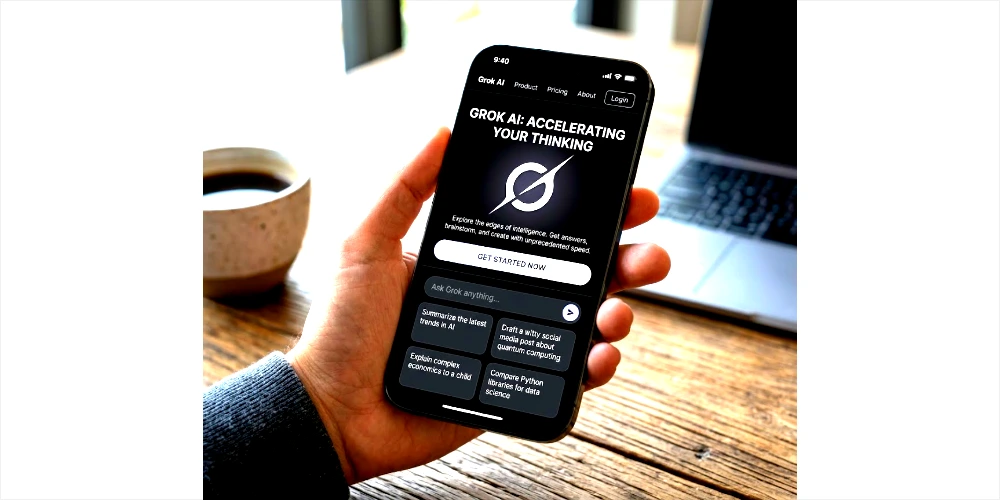
Table of Contents
What Is Grok AI?
Grok is an AI chatbot developed by xAI, the artificial intelligence company founded by Elon Musk. It’s designed to work like a conversational assistant: you type a question or request, and it responds in natural language, similar to how you’d talk to ChatGPT, Claude, or Gemini.
A few things make Grok a bit different from a typical search engine or a purely offline chatbot:
- It’s connected to X. Grok is built into the X app and website, so it can reference recent posts and trending topics on the platform, in addition to its general training.
- It has real-time awareness features. Depending on the plan and version, Grok can search the web or pull in current information rather than relying only on older training data.
- It has a distinct tone. Grok is often described as more casual or willing to use humor compared to some other assistants, though how “edgy” it is can vary by settings and updates.
- It supports multiple formats. Beyond text chat, Grok has offered features like image understanding and, on certain plans, image or video generation through its “Grok Imagine” tools.
In simple terms: Grok is a general-purpose AI assistant you can ask questions, get help writing things, brainstorm with, or use to understand a topic — accessible through X or as a standalone product.
Can You Use Grok AI for Free?
Yes, xAI offers a free way to access Grok through the Grok website and the X app, without a credit card required to get started. That said, “free” comes with real trade-offs you should know about before relying on it.
Here’s the honest picture:
- Free access generally gives you a lighter or standard version of the underlying model, not necessarily the newest or most powerful one xAI offers.
- There are usage limits on the free tier — for example, a cap on how many messages you can send within a certain time window. The exact number has changed multiple times as xAI adjusts its systems, so don’t treat any specific figure as fixed.
- Some features, most notably AI image and video generation through Grok Imagine, have moved behind paid plans at various points. Whether image generation is available to free users can depend on when you’re reading this and what xAI currently offers.
- Paid tiers (commonly marketed under names like SuperGrok or SuperGrok Heavy) typically unlock higher message limits, access to more advanced models, extended reasoning modes, and expanded media generation.
Because pricing pages, limits, and included features are things companies update often, the most reliable move is to check the official Grok or X pricing/help page for the current free-tier details before you plan around them. Treat anything you read here — or anywhere else — about exact numbers as a general guide, not a guarantee.
How to Use Grok AI for Free
Here’s a simple, step-by-step walkthrough for getting started.
Step 1: Open the Official Grok Service
Go to the official Grok website (grok.com) in your browser, or open the X app if you already have it installed. Avoid third-party sites or apps claiming to offer “Grok” — stick to official sources to protect your account and data.
Step 2: Create or Sign In to Your Account
You’ll typically need to sign in or create an account using an email address, phone number, or an existing X account. Follow the on-screen prompts to verify your identity if asked. You generally won’t need to enter payment details just to use the free tier.
Step 3: Open Grok
On the X app, look for the Grok icon or tab, usually found in the app’s navigation menu. On grok.com, you’ll land directly in the chat interface after signing in.
Step 4: Start a Conversation
Type your question or request into the chat box, just like you would text a person. You can ask something simple (“What’s a good way to start a cover letter?”) or something more specific.
Step 5: Write a Good Prompt
The clearer your request, the better the answer. Instead of “help me write something,” try: “Write a short, friendly email to a client letting them know their order shipped a day late.” We’ll cover prompt-writing in more detail later in this guide.
Step 6: Review and Improve the Answer
Read what Grok gives you critically — don’t assume it’s fully correct, especially for facts, numbers, or anything time-sensitive. If the answer isn’t quite right, ask a follow-up: “Can you make this shorter?” or “That’s not accurate, can you double-check?”
Step 7: Explore Available Features
Look around the interface for extra options like voice input, image uploads, or different modes. Keep in mind that which features appear — and whether they’re free or paid — can vary by account, region, and time, so don’t be surprised if something you read about elsewhere isn’t visible on your account.
How to Access Grok AI on a Computer
Using Grok on a desktop or laptop is straightforward:
- Open your web browser and go to grok.com, or log into X on the web.
- Sign in with your account credentials.
- Once inside, you’ll see a chat window — click into it and start typing your question or prompt.
- Press Enter or click the send button to get a response.
- Ask follow-up questions in the same conversation to refine the answer, just like a back-and-forth chat.
- You can usually copy Grok’s response using a copy icon near the reply, so you can paste it into a document, email, or elsewhere.
Desktop use is convenient if you’re doing longer writing tasks, coding help, or research where a bigger screen and keyboard make things easier.
How to Use Grok AI on a Mobile Phone
Grok is also available on mobile, with slightly different setup steps depending on your device.
On Android:
- Install the official Grok app or the X app from the Google Play Store.
- Open the app and sign in.
- Tap the Grok icon or tab.
- Type your question into the chat box and send it.
On iPhone/iOS:
- Download the official Grok app or the X app from the Apple App Store.
- Sign in with your account.
- Open Grok from within the app.
- Start typing your prompt in the chat window.
A few practical notes: app availability, supported features, and even the app name can vary by country and by whether Grok is offered as a standalone app or only inside X in your region. Always download from the official Google Play Store or Apple App Store — avoid sideloaded APKs or unofficial download links, since these can carry security risks and aren’t verified by xAI.
What Can You Do With Grok AI for Free?
Here’s a practical look at what beginners commonly use Grok for.
Writing and Rewriting
- Drafting blog post ideas or outlines
- Writing social media captions
- Drafting or polishing emails
- Summarizing long articles or documents
- Rewriting text to sound more formal, casual, or concise
Learning and Education
- Explaining a difficult concept in simple terms
- Turning notes into a study guide
- Generating practice quiz questions on a topic
- Practicing a new language through conversation
Coding
- Explaining what a piece of code does
- Spotting likely bugs in a short code snippet
- Generating simple starter code for a small task
- Explaining programming concepts like loops or functions in plain English
Research and Information
Grok can help you organize information, compare ideas, or get a first pass at understanding a topic. However, like any AI assistant, it can make mistakes or present outdated information as current. Always verify important facts, statistics, or claims using a reliable, independent source before relying on them.
Brainstorming
- Business or side-project ideas
- Content or video ideas
- Name ideas for a project, product, or brand
- Marketing angles for a small campaign
- Rough project plans or task breakdowns
Image-Related Features
Grok has offered features related to images, such as letting you upload a picture and ask questions about it, and separately, tools for generating new images (often branded as Grok Imagine). Whether image generation is included in the free tier, limited, or paid-only can change over time, so check the current app or website for what’s actually available on your account before assuming full access.

Best Grok AI Prompts for Beginners
Copy, paste, and adjust these as needed:
Learning
- “Explain [topic] like I’m learning it for the first time, using a simple analogy.”
- “Give me 5 key facts about [topic] I should remember.”
Writing 3. “Rewrite this paragraph to sound more professional: [paste text]” 4. “Write a short thank-you note for a job interview.”
Blogging 5. “Give me 10 blog post title ideas about [topic].” 6. “Write an outline for a beginner’s guide about [topic].”
Coding 7. “Explain what this code does in plain English: [paste code].” 8. “Write a simple Python function that [describe task].”
Business 9. “Give me 5 low-cost business ideas for someone interested in [interest].” 10. “Help me write a short pitch for [business idea].”
Research 11. “Summarize the main arguments for and against [topic].” 12. “What questions should I ask before deciding on [decision]?”
Productivity 13. “Help me break this big task into smaller steps: [describe task].”
English Learning 14. “Correct the grammar in this sentence and explain the mistake: [sentence]”
Social Media 15. “Write 3 short Instagram captions for a photo of [describe photo].”
Brainstorming 16. “Give me 10 possible names for a [type of business/project].”
How to Write Better Prompts for Grok
A simple formula for stronger prompts:
Role + Task + Context + Requirements + Output Format
Here are five examples comparing weak prompts to improved ones:
- Weak: “Write about AI.” Better: “Act as a technology writer. Write a 300-word beginner-friendly explanation of how AI chatbots work, using simple English and one real-world example.”
- Weak: “Help with my resume.” Better: “Act as a career coach. Review this resume summary and suggest three improvements for clarity and impact: [paste text].”
- Weak: “Give me business ideas.” Better: “Act as a small-business consultant. Suggest 5 low-budget business ideas suited to someone with a background in graphic design, and explain the startup cost for each.”
- Weak: “Explain photosynthesis.” Better: “Act as a science teacher. Explain photosynthesis to a 10-year-old using a simple analogy, in under 150 words.”
- Weak: “Fix my code.” Better: “Act as a Python tutor. Review this function, point out any bugs, and explain the fix in plain language: [paste code].”
Grok AI Free vs Paid
| Feature | Free Plan | Paid Plans (e.g., SuperGrok tiers) |
|---|---|---|
| Access | Available on grok.com and X with an account | Requires an active paid subscription |
| Usage limits | Limited messages within a given time window; exact caps change and aren’t always published | Higher limits, though specifics vary by tier |
| Available models | Typically a lighter or standard model | May include access to more advanced or flagship models |
| Advanced features (e.g., extended reasoning, deep research modes) | Usually limited or unavailable | Often included, depending on the plan |
| Image-related features | May be limited or unavailable depending on current policy | Often includes image and/or video generation, subject to its own limits |
| Priority access | Standard queue during high demand | Often prioritized during peak usage |
| Response limits/length | Standard | May be higher, depending on the plan |
Exact limits, prices, and included features change over time and can differ by region or account. Check the official Grok or X pricing page for the most current information before deciding on a plan.
Is Grok AI Really Free?
Yes — in the sense that you can create an account and chat with Grok without entering payment details. But “free” doesn’t mean unlimited or feature-complete.
Here’s what that means in practice:
- You can expect to hit a usage cap if you send a lot of messages in a short time.
- Certain advanced capabilities, like the most powerful models, deep research tools, or media generation, have often been reserved for paid subscribers.
- What counts as “free” today may not match what’s free next month, since AI companies frequently adjust their tiers.
If you’re using Grok casually — for quick questions, writing help, or brainstorming — the free tier is likely enough. If you need heavy daily use, faster responses, or specific advanced features, you may eventually run into limits that only a paid plan removes.
Common Problems When Using Grok for Free
| Problem | Practical Solution |
|---|---|
| Cannot access Grok | Confirm you’re using the official grok.com site or the official X app, and check that Grok is available in your country. |
| Login problems | Double-check your email, phone number, or X credentials; try resetting your password through the official login page. |
| Usage limits reached | Wait for your limit to reset, or consider whether a paid plan fits your needs if this happens often. |
| A feature seems unavailable | Confirm whether it’s a free-tier restriction or a regional rollout by checking the app’s settings or official help pages. |
| Slow responses | This can happen during high-traffic periods on the free tier; try again later or during off-peak hours. |
| App unavailable in your region | Availability can vary by country; check official app store listings or the Grok website for your region’s status. |
| Account restrictions | Review any notifications from X or xAI about your account, and use official support channels to resolve issues. |
| Incorrect AI responses | Ask Grok to double-check or clarify, and independently verify any important facts, numbers, or claims. |
Is Grok AI Safe to Use?
Using Grok safely comes down to the same basic habits that apply to any online account or AI tool:
- Protect your account. Use a strong, unique password and enable two-factor authentication if it’s offered.
- Be mindful of what you share. Avoid entering sensitive personal information, financial details, or private data you wouldn’t want stored or processed.
- Use official channels only. Download apps from the official App Store or Google Play Store, and access Grok through grok.com or the verified X app — not unofficial mirrors or third-party tools claiming to offer Grok.
- Verify AI-generated information. Grok, like any AI assistant, can produce inaccurate or outdated answers. Cross-check anything important with a reliable independent source.
- Read the current privacy policy. For specifics on how your data is used or stored, refer to xAI’s and X’s official privacy documentation rather than assuming.
No AI tool can be described as completely risk-free, so a bit of caution goes a long way.
Tips for Getting Better Results From Grok
- Be specific about what you want, rather than being vague.
- Give context — mention who the answer is for or why you need it.
- Define your audience (e.g., “explain this to a beginner”).
- Specify a length (“in 100 words,” “in three bullet points”).
- Request a particular format, like a table, list, or step-by-step guide.
- Ask for examples to make abstract answers more concrete.
- Use follow-up questions instead of starting a new conversation from scratch.
- Ask Grok to simplify a complex answer if it’s too technical.
- Verify important facts, statistics, or claims independently.
- Refine your original prompt rather than abandoning it — small tweaks often help more than a full rewrite.
Grok AI vs Other AI Chatbots
It’s natural to wonder how Grok compares to other well-known assistants like ChatGPT, Claude, Gemini, and Microsoft Copilot. There’s no single “best” tool — it depends on what you need:
- ChatGPT is widely used for general writing, coding help, and has a large ecosystem of plugins and integrations.
- Claude is often noted for longer, more detailed responses and careful handling of nuanced writing or analysis tasks.
- Gemini integrates closely with Google’s services, which can be convenient if you already use Gmail, Docs, or Android.
- Microsoft Copilot is built into Windows and Microsoft 365 apps, making it a natural fit if you work heavily inside Word, Excel, or Outlook.
- Grok stands out for its tie-in with X and real-time platform awareness, plus a more casual conversational style.
If you’re deciding between them, it can help to try the free tiers of a couple of options and see which interface and tone you personally prefer for your specific tasks.
Is Grok AI free to use?
Yes, Grok offers a free tier accessible through grok.com and the X app, though usage limits and included features can vary.
Can I use Grok AI without paying?
Yes, you can chat with Grok without a subscription, but you may encounter usage limits and won’t have access to certain advanced or paid-only features.
Can I use Grok AI on Android?
Yes, Grok is accessible through the official Grok or X app on Android, subject to availability in your region.
Can I use Grok AI on iPhone?
Yes, Grok is accessible through the official Grok or X app on iOS, subject to availability in your region.
Do I need an account to use Grok AI?
Yes, you typically need to sign in or create an account using an email, phone number, or existing X account
Is Grok AI available on the web?
Yes, Grok is available on the web at grok.com, in addition to the X app.
Does Grok AI have usage limits?
Yes, free accounts generally have usage limits, such as a cap on messages within a given time frame. Exact limits change periodically.
Can Grok AI write articles?
es, Grok can help draft articles, outlines, and other written content, though you should review and edit the output for accuracy and tone.
Can Grok AI generate images?
Grok AI has offered image generation features in the past, but whether this is available for free, limited, or paid-only can change — check the current app for details.
Is Grok AI better than ChatGPT?
Neither tool is universally “better” — they have different strengths, and the right choice depends on your specific needs and preferences.
Can I use Grok AI for research?
Yes, Grok can help you organize and understand information, but you should independently verify any important facts or claims it provides.
Final Verdict
Grok is a general-purpose AI chatbot from xAI, accessible for free through grok.com and the X app, without requiring payment details to get started. Beginners can use the free tier for everyday tasks like writing help, learning support, brainstorming, and basic coding assistance.
That said, free access typically comes with usage limits and may not include the most advanced models or every feature, and what’s included can change over time. Before relying heavily on Grok for a specific task, it’s worth checking the official Grok or X pages for the current details on limits and pricing. If you’re curious, the best next step is simply to visit the official Grok website or open it inside the X app and try it for yourself.