
Flowith AI: Complete Guide to Features, Pricing and How It Works (2026)
now
V1.1.69
500K+
Description
Introduction
Anyone who’s spent a few hours deep in a real research project knows the problem with a normal AI chat window. The conversation scrolls on forever, the thing you needed from ten messages ago is buried somewhere above, and starting a new thread means losing all that context. Flowith was built specifically to fix that, by throwing out the scrolling chat box entirely and replacing it with a canvas you can spread ideas across.
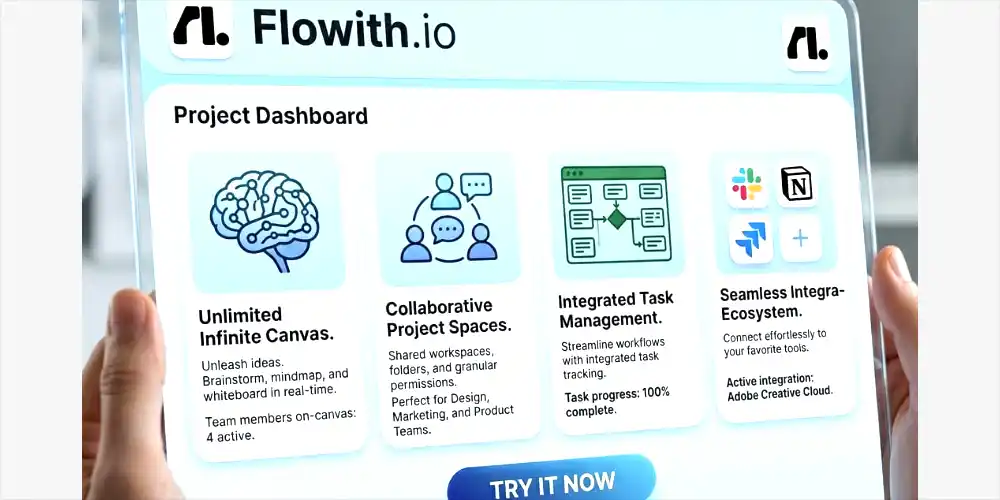
This guide covers what Flowith AI actually is, how its canvas and Agent Neo system work, what the Knowledge Garden does, what it costs, and who it’s actually worth using for. If you’re trying to figure out whether this is a genuine step up from a regular chat bot or just a new interface on the same thing, this should answer that.
Table of Contents
What Is Flowith AI?
Flowith is an AI workspace built around an infinite two-dimensional canvas instead of a linear chat thread. Every prompt and response becomes a node you can drag around, branch off from, or connect to other ideas, so a single project can hold dozens of related threads side by side rather than one long scroll. It was founded by Yichen Wu and Derek Nee, growing out of a hackathon project in Yunnan in 2023 before launching publicly in August 2024 with a small founding team.
The pitch is that most AI chat tools reset context constantly and force you into a single straight-line conversation, which works fine for quick questions but falls apart on anything that spans hours or days. Flowith’s canvas, its autonomous agent system called Agent Neo, and a built-in knowledge base called the Knowledge Garden are all aimed at the same problem: keeping a long, complex project coherent instead of starting from scratch every session.
It’s not trying to be a simple chat bot replacement. The learning curve is real, and Flowith itself points people toward simpler tools for quick one-off tasks. Where it’s built to shine is deep, multi-session work, research projects, content pipelines, and anything where you’re juggling multiple ideas that need to stay connected over time.
Key Features of Flowith AI
Here’s what’s actually inside the platform.
| Feature | What It Does |
| Infinite Canvas | Two-dimensional workspace where prompts and responses become movable, branch able nodes instead of a linear scroll |
| Agent Neo | Autonomous AI agent with a large context window that can run multi-step research and creative tasks with minimal supervision |
| Oracle | Task planning system that breaks a high-level goal into steps and adjusts the plan as results come in |
| Knowledge Garden | Turns uploaded documents into linked knowledge units called Seeds, which ground AI answers in your own material |
| 40+ AI models | Access to models like GPT-5, Claude Opus, and Deep Seek in one interface, switchable mid-project |
| Image and video generation | Built-in image editing plus video generation on higher-tier plans |
| Real-time collaboration | Multiple people editing the same canvas at once |
| Composer | A place to pull canvas content into a cleaner document for final editing and polish |
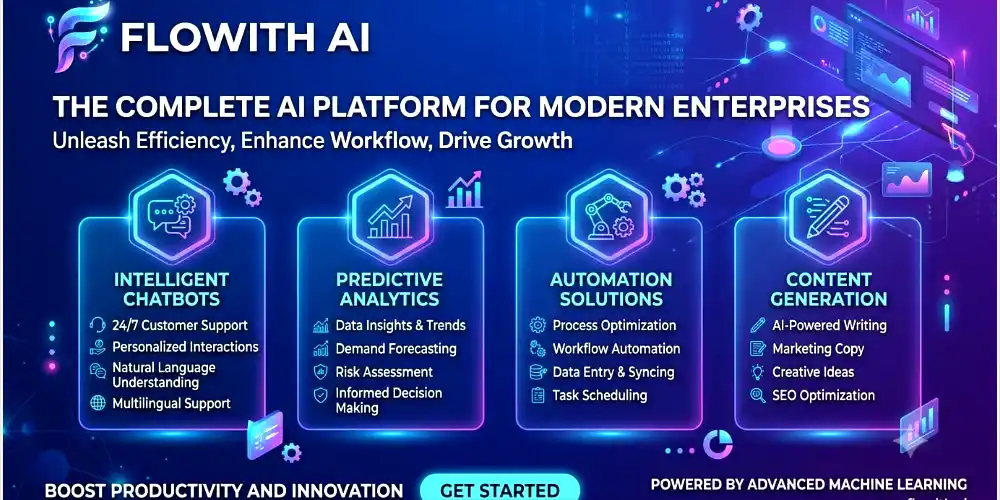
How the Infinite Canvas Works
The core idea is simple once it clicks, even if it feels unfamiliar for the first few minutes. Instead of typing into a box and watching the conversation stack up line by line, you start a thread anywhere on the canvas, and every reply becomes its own node you can move, resize, or branch from. Ask a follow-up question and you can either continue that same thread or spin off a new branch to explore a different angle, without losing the original line of thought.
For research or planning work, this ends up mattering more than it sounds. A normal chat forces everything into one sequence, so exploring three different angles on a problem means either three separate chats with no shared context, or one long thread where earlier ideas get buried under everything that came after. On the canvas, all three angles can sit next to each other, visibly connected, and you can jump between them without losing your place.
The trade-off is a genuine adjustment period. Most first-time users spend fifteen to twenty minutes just getting comfortable moving around the canvas before it starts feeling natural. It’s not a steep enough curve to be a deal breaker, but it’s worth expecting rather than being surprised by.
Agent Neo: Flowith’s Autonomous Agent
Agent Neo is the part of Flowith that gets the most attention, and it’s built to run far longer than a typical AI assistant without losing track of what it’s doing. It works with a very large context window, reportedly up to 10 million tokens, and can chain over a thousand steps together on a single task. In practical terms, that means you can point it at something like a full competitor analysis or a multi-source research project, and it can work through searches, document analysis, and synthesis over an extended session instead of needing constant prompting to keep going.
Sitting behind Agent Neo is Oracle, Flowith’s planning layer. Instead of following one rigid script, Oracle takes a high-level goal, breaks it into a sequence of smaller tasks, and adjusts that plan mid-execution based on what it finds along the way. Describe a goal in plain language and Oracle handles the decomposition, so you’re setting direction rather than manually managing every step yourself.
Reviewers testing Agent Neo on things like building a working website from a single prompt, or running a multi-hour research task, have generally found it holds up over long sessions in a way that resets a lot faster in other tools. The honest caveat is that this kind of continuous, multi-step work burns through credits quickly, more on that in the pricing section below.
Knowledge Garden and Seeds
The Knowledge Garden is Flowith’s answer to the hallucination problem that comes up with almost every AI tool. You upload documents, notes, or links, and the system breaks them down into smaller linked units called Seeds, each one holding a core concept or key point pulled from your material. When you ask a question, the AI pulls from these Seeds first rather than answering purely from general training data, which grounds the response in what you actually gave it.
What makes this different from a basic file upload feature is that it compounds. The first session with a freshly built Knowledge Garden is useful. By the fifth or sixth session, once you’ve built out a proper set of Seeds around a topic, responses noticeably sharpen, since the AI has more of your own material to draw from instead of filling gaps with generic answers. Some reviewers have reported cutting research and writing time by more than half once a solid knowledge base is in place.
AI Models Available on Flowith
One of the more practical reasons people pick Flowith over a single-model chatbot is model access. The platform bundles more than 40 AI models into one subscription, including GPT-5, Claude Opus, DeepSeek, and others, and lets you switch between them mid-project without losing your canvas context. For image work, it connects to models like DALL-E 3 and Stable Diffusion, and video generation is available starting on the Professional tier.
Practically, this means comparing how two different models handle the same prompt is just a matter of running it twice on the canvas rather than paying for two separate subscriptions. For anyone who currently juggles a ChatGPT Plus subscription alongside a Claude subscription just to compare outputs, that alone can offset a decent chunk of what Flowith costs.
Flowith Pricing
Flowith runs on a shared credit system, meaning text, image, and video generation all draw from the same monthly pool rather than being billed separately. Simple text tasks use relatively few credits. Video and heavy Agent Neo research sessions use a lot more, so it’s worth watching usage for the first few weeks on any paid plan before assuming it’ll comfortably cover your workflow.
| Plan | Price | What’s Included |
| Starter | Free | A one-time batch of starting credits, limited model access, enough to learn the canvas |
| Professional | $19.90/month ($15.32/month billed annually) | 22,000 monthly credits, access to 40+ models, 50 concurrent tasks |
| Ultimate | $49.90/month ($39.92/month billed annually) | 85,000 monthly credits, 100 concurrent tasks, faster processing |
| Infinite | $499.90/month ($459.90/month billed annually) | 1,000,000 monthly credits, unlimited concurrent tasks, priority support |
There’s a 14-day refund window on paid plans, which gives some room to test whether a tier actually fits before committing. For most individual users, the Professional plan tends to be the realistic starting point, since the free Starter credits run out fast once you start running Agent Neo sessions regularly. Teams running Agent Neo daily as a core part of their workflow should expect to outgrow Professional and lean toward Ultimate, based on how quickly credits get consumed during sustained autonomous research.
Pros and Cons of Flowith AI
| Pros | Cons |
| Canvas layout keeps complex, branching projects genuinely organized | Real learning curve, not intuitive in the first session |
| Agent Neo maintains context over long, multi-step sessions | Credit system can burn through fast during heavy research or video use |
| 40+ AI models available under one subscription | Overkill for simple, one-off questions |
| Knowledge Garden grounds answers in your own documents | Cloud-dependent, Agent Neo needs a stable connection to run |
| Real-time collaboration on shared canvases | File type support is still fairly narrow for some agents |
Who Flowith Is Best For
Flowith fits best with researchers, writers, and teams working on projects that genuinely span multiple sessions, think long-form research, multi-part content series, or business planning that touches strategy, technical docs, and marketing all at once. If you’re the kind of person who ends up with fifteen browser tabs open trying to keep a complex project straight, the canvas is built to solve exactly that.
It’s a poor fit if what you actually need is quick answers to simple questions. Flowith says as much itself, pointing people toward simpler AI writing tools for straightforward, single-session tasks. Paying for 40 models and an autonomous agent to draft a two-paragraph email is using a sledgehammer where a normal chatbot would do the job faster and for less money.
Flowith vs. ChatGPT vs. Notion AI vs. Perplexity
Against Chat GPT, the difference comes down to structure. Chat GPT gives you a single, linear conversation with one model at a time. Flowith offers a branching canvas where you can compare outputs from multiple models side by side, which matters a lot more for complex projects than for quick questions.
Against Notion AI, the two aren’t really solving the same problem. Notion AI is built to enhance documents inside an existing Notion workspace, drafting, summarizing, and cleaning up text you’re already writing there. Flowith is built specifically for multi-model exploration and visual brainstorming from scratch, so it’s less a documentation tool and more a thinking and research environment.
Against Perplexity, the split is research depth versus creative range. Perplexity is sharper for quick, search-grounded answers with citations. Flowith trades some of that search focus for broader creative and autonomous capability, an agent that can run for hours on a self-directed task rather than answering one query at a time.
Getting Started with Flowith
- Sign up for the free Starter plan at flowith.io, no card required to begin.
- Spend the first fifteen to twenty minutes just moving around the canvas, branching a thread, and connecting nodes to get a feel for the layout.
- Upload a few documents to the Knowledge Garden around a topic you’re actively working on.
- Try Agent Neo on a real but contained task, something like a competitor summary, to see how it handles multi-step work.
- Compare two different models on the same prompt to see how outputs differ before settling on a default.
- Once the free credits run low, decide between Professional and Ultimate based on how often you’re actually running Agent Neo sessions.
Since the free tier doesn’t ask for payment details up front, there’s no real cost to spending an afternoon testing whether the canvas approach actually fits how you work before paying for anything.
Real Use Cases for Flowith
A few use cases keep coming up across reviews and user reports, and they give a clearer picture of where Flowith earns its keep than the feature list alone. Content teams use it to plan and draft multi-part series where tone and continuity need to hold across dozens of pieces, letting the canvas map out a whole content calendar as connected nodes instead of a spreadsheet disconnected from the actual drafts. Startup founders have used it to move from a rough idea to investor materials, technical documentation, and marketing copy in the same coordinated session, since the canvas keeps all three tracks visibly linked rather than scattered across separate documents.
Researchers and analysts lean on Agent Neo specifically for the kind of work that used to mean days of manual source-gathering, pointing it at a broad question and letting it pull from multiple sources, organize findings, and draft a synthesis while they focus on reviewing and refining rather than the legwork itself. None of this replaces human judgment on the final output, but it does compress the early, mechanical stages of a big project into a fraction of the time they’d otherwise take.
Recent Updates and Where Flowith Is Headed
Flowith has kept a fast release pace since launch, regularly adding support for new frontier models as they come out, which is part of why the model list has grown past 40 options. Recent additions have included support for newer GPT and Claude model versions shortly after their public release, along with steady refinements to Agent Neo’s planning behavior and expanded image editing tools on the canvas itself.
The company has also been building out a Knowledge Market and an agent community, where users can access pre-built, fine-tuned agents for specific tasks rather than configuring everything from scratch, alongside shared knowledge bases covering various topics. Given how quickly this space moves, it’s worth checking Flowith’s own change log before assuming any specific feature list here is still complete by the time you’re reading this.
Is Flowith AI free to use?
Yes, there’s a free Starter plan with a one-time batch of credits and limited model access. It’s enough to learn the canvas, though the credits run out quickly with regular use.
What is Agent Neo?
Agent Neo is Flowith’s autonomous AI agent, built to handle long, multi-step tasks like research or content creation with a large context window that keeps it from losing track over extended sessions.
How is Flowith different from ChatGPT?
ChatGPT uses a single linear chat with one model at a time. Flowith uses a branching, visual canvas with access to 40-plus models, built for projects that span more than one session.
What is the Knowledge Garden?
It’s Flowith’s built-in knowledge base. Upload your own documents and the AI breaks them into linked units called Seeds, then draws on them when answering your questions instead of relying purely on general training data.
Does Flowith have a mobile app?
Yes, an iOS app is available for reviewing outputs and managing sessions on the go, alongside the main web platform.
Is Flowith worth it for simple, everyday tasks?
Not really. It’s built for complex, multi-session work. For quick one-off questions, a simpler chatbot will usually get the job done faster and without spending credits.
How does Flowith’s credit system work?
Text, image, and video generation all draw from one shared monthly credit pool. Simple text tasks use relatively few credits, while video and heavy Agent Neo research use considerably more
Is there a refund if Flowith doesn’t work out?
Yes, paid plans come with a 14-day refund window, which gives enough time to properly test a tier before deciding whether to keep it
Final Thoughts
Flowith is one of the few AI tools in the current wave that’s actually rethinking the interface rather than just wrapping another chat bot in a new coat of paint. The canvas takes a real adjustment, and it’s not the right pick for quick, everyday questions. But for research that spans days, content projects with a lot of moving parts, or work where comparing multiple AI models actually matters, the combination of Agent Neo, the Knowledge Garden, and the branching canvas creates a genuinely different way of working rather than just a different-looking version of the same thing. Worth a real test on the free tier before deciding whether it earns a spot in your regular toolkit.




