Taskade AI: Complete Guide to Features, Pricing and How It Works (2026)
now
20.6MB
V1.1.69
1M+
Description
Introduction
Most people managing a project end up juggling five or six different apps without really meaning to. A task tool for the to-do list, a doc app for notes, a chat app for the team, maybe a separate mind-mapping tool for planning, and now increasingly a chat bot tab for anything that needs writing. Taskade was built to collapse all of that into one workspace, and its AI layer has grown enough over the past year that it’s worth a proper look rather than a quick feature dump.
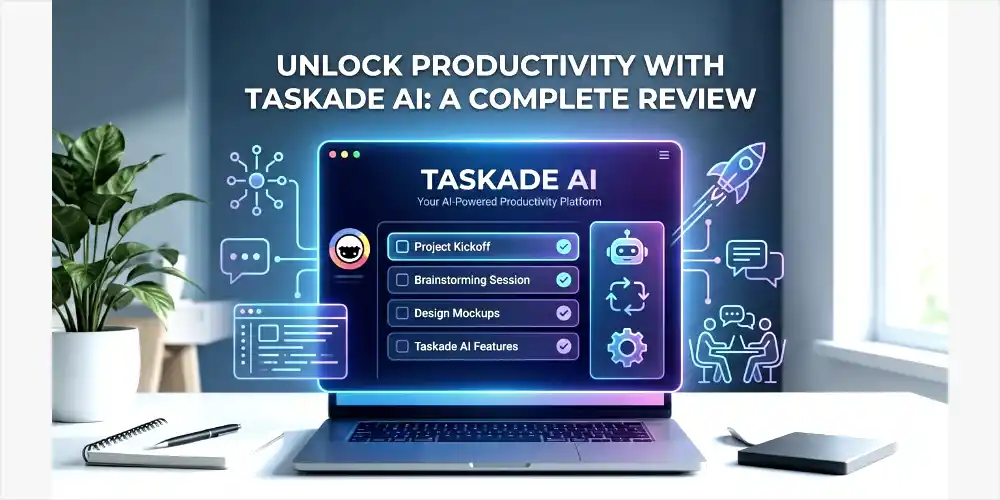
This guide walks through what Taskade AI actually does, how its AI agents and app builder work day to day, what the pricing tiers cover, and where it holds up against tools like Notion or Click Up. Everything here is written in plain terms, so whether you’re a solo freelancer or looking at this for a small team, you should come away knowing whether it’s worth setting up.
Table of Contents
What Is Taskade AI?
Taskade is an AI-powered workspace that combines task management, notes, mind maps, and real-time team collaboration with a built-in layer of AI agents and automation. It was founded in 2017 by John Xie and Dionis Loire, is backed by Y Combinator, and has grown from a simple collaborative task list into one of the more AI-integrated productivity platforms on the market.
The core pitch is straightforward. Instead of switching between a task app, a notes app, a mind-mapping tool and a separate AI chatbot, everything lives in one workspace, and the AI is woven into each part of it rather than bolted on as a side panel. Type a prompt describing a project and Taskade can generate a working structure with tasks, subtasks and a rough timeline in seconds, ready for you to adjust rather than build from a blank page.
Taskade runs on the web and has native apps for iOS, Android, Mac, Windows and Linux, with synced workspaces across all of them. According to the company, more than a million users now build and run workflows on the platform, and teams at companies including Nike, Netflix and Airbnb are listed among its users.
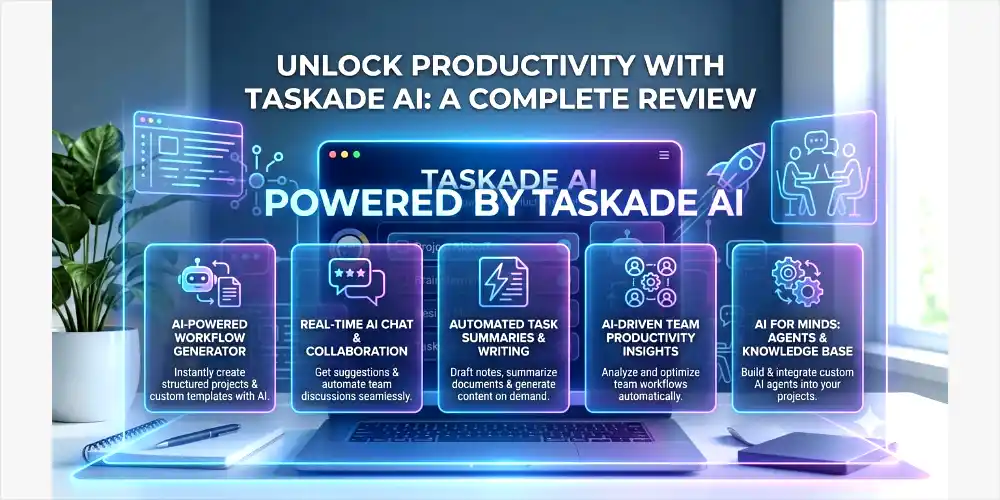
Key Features of Taskade AI
Here’s a quick breakdown of what’s actually inside the workspace.
| Feature | What It Does |
| AI Agents | Custom, assignable AI team members with persistent memory that can research, write, and run tasks autonomously |
| Genesis app builder | Turns a text prompt into a working custom app, no coding needed |
| Multiple project views | Switch between list, kanban board, mind map, calendar, org chart, and timeline on the same data |
| Real-time collaboration | Live co-editing, comments, mentions, and in-project video calls |
| Task automation | Trigger-and-action rules that run without manual setup each time |
| AI writing assistant | Summarize, expand, rewrite, translate, or pull action items from any text in the workspace |
| Integrations | Connects to Zapier, Make, Google Workspace, Slack, GitHub and hundreds of other tools |
| Cross-platform sync | Web, iOS, Android, Mac, Windows and Linux apps with offline support |
How Taskade AI Agents Work
The AI agents are really what set Taskade apart from a standard project management tool with a chat bot bolted on. Rather than single assistant answering questions, each agent is something you build yourself, given a specific role, a persona, and access to your workspace data. A content agent might draft blog posts following your style guide. A research agent might scan a topic and summarize findings into your editorial calendar. Because they hold memory of your workspace, you don’t need to re-explain context every time you assign them something new.
Agents can also chain together into small automated pipelines. A common setup has one agent research a topic, hand its findings to a writing agent, and pass the draft to a third agent for review, all without you touching each step individually. Typing something like a request to research trending topics in a niche, write a brief for each, and add them to a content calendar can trigger that entire chain from a single command.
Recent updates have also expanded which underlying AI models the agents can run on. Taskade now routes requests through a model layer it calls TSK-1, which can automatically pick between more than a dozen frontier models depending on the task, so a quick summary and a deep research task aren’t necessarily using the same model behind the scenes.
Genesis: Building Custom Apps Without Code
Genesis is Taskade’s no-code app builder, and it’s become one of the most talked-about additions to the platform. You describe what you want in plain language, something like a booking system or a customer feedback tracker, and Genesis generates a working app with its own custom fields, views and automations built in. Because the app is connected to the rest of your workspace, it draws on the same AI agents and data rather than existing as an isolated tool.
There’s also a Community Gallery with several hundred pre-built apps covering categories like CRM, event booking, finance tracking and marketing, all available to clone and customize instead of starting from scratch. For anyone who doesn’t want to design a workflow from zero, this cuts a lot of the setup time down to picking something close and adjusting it.
Project Views and Organization
Every project in Taskade can be switched between list, kanban board, mind map, org chart, calendar and a timeline view, all pulling from the same underlying data. This matters more than it sounds, since different parts of a project usually suit different views. A content calendar makes more sense as a calendar. Early brainstorming works better as a mind map. Task tracking is often easiest as a board. Taskade lets you move between these without duplicating anything or setting up a separate tool for each.
The trade-off is that with eight-plus views, an agent builder and Genesis all sitting in the same interface, the learning curve is a bit steeper than a single-purpose tool. Most reviewers report reaching comfortable daily use within a few days rather than instantly, and larger projects with dozens of tasks spread across multiple views can start to feel cluttered if you’re not disciplined about organizing things as you go.
Automation and Integrations
Taskade’s automation runs on simple trigger-and-action rules. Mark a task complete and it can notify a Slack channel. Change a status and it can kick off an AI agent to draft a follow-up. These don’t require any code to set up, just picking a trigger and an action from the builder. The platform connects to Zapier, Make, Google Workspace, Slack, GitHub and reportedly over a thousand other tools through native integrations and web hooks, and a newer Connectors screen now lets you browse and manage third-party tools linked through the Model Context Protocol directly inside the workspace.
Worth knowing before you lean on automation heavily: usage is what drives cost on Taskade, not seat count. Every AI generation and every automation run draws from a monthly credit pool, so a team running dozens of automations a day will burn through credits faster than one using the workspace mostly for manual task tracking. It’s worth watching credit usage for the first month or two before assuming a plan will comfortably cover your workflow.
Taskade Pricing
Taskade’s pricing is built around flat monthly plans that bundle a set number of users with a monthly AI credit allowance. Exact figures shift periodically as the company adjusts plans, so it’s worth checking taskade.com/pricing for the current numbers, but here’s roughly where things stand.
| Plan | Approx. Price | What’s Included |
| Free | $0/month | 1 user, limited AI credits and automations, enough for testing the workspace |
| Starter | From $6/month (billed annually) | Up to 3 users, higher credit allowance, custom templates |
| Pro | From $16 to $20/month | Up to 10 users, unlimited automations, unlimited AI agents, expanded integrations |
| Business | From $50/month | Unlimited users, admin controls, API access, custom domains |
| Enterprise | Custom pricing | SSO, advanced security, compliance features, dedicated support |
The free plan is genuinely usable for testing things out rather than being a stripped-down demo, though the credit pool runs out quickly with daily use. For small teams, the Starter and Pro tiers tend to be where the real value shows up, since AI agents and unlimited automations open up at Pro without needing to pay per seat the way a lot of competing tools charge.
Pros and Cons of Taskade AI
| Pros | Cons |
| AI agents are genuinely more capable than most competitors’ built-in AI | Non-AI features are less mature than dedicated tools like Notion or Asana |
| Genesis app builder lets you create custom tools without coding | Pricing scales with usage, heavy automation can burn through credits fast |
| Eight-plus project views on the same underlying data | Interface can feel cluttered on larger, more complex projects |
| Competitive pricing compared to stacking separate tools | No traditional Gantt chart with dependencies for complex planning |
| Cross-platform apps with offline support | Free tier’s AI credit pool runs out quickly with daily use |
Who Taskade Is Best For
Taskade tends to fit best with freelancers, small teams, content creators and startup founders who want real AI automation without hiring a developer or wiring together a dozen separate tools. If you’re producing recurring content, running research tasks, or managing a handful of ongoing projects and want one workspace to handle all of it, the agent system and Genesis builder do a lot of heavy lifting.
It’s a less natural fit for larger teams that need deep reporting, granular permissions, or established enterprise project management features like full Gantt charts with resource allocation. Teams already deep into a tool like Asana or Smartsheet for that kind of structured planning probably won’t find enough reason to switch, though Taskade can still run alongside those tools for the AI and automation side of things.
Taskade vs Notion vs ClickUp
Comparisons to Notion come up constantly, and the honest answer is that each tool wins in a different area. Notion is still stronger for long-form documentation, wikis and its database system, with a much larger template ecosystem built up over years. Taskade wins on task management speed, real-time collaboration, and the depth of its AI agent builder, since Notion’s AI agent capabilities remain fairly basic by comparison.
Against ClickUp, the trade-off is different. ClickUp offers deeper reporting, more granular permissions and better time tracking, but its AI features tend to feel like an add-on rather than a core part of the product, and the learning curve and pricing both climb fast for teams that want real AI functionality. If simplicity paired with genuine AI power is the priority, Taskade generally comes out ahead. If enterprise-grade reporting and permissions are the priority, ClickUp is the safer pick.
Getting Started with Taskade
- Sign up for a free account at taskade.com, no credit card required.
- Create your first workspace and either start from a blank project or pick a template from the library.
- Try typing a project prompt into Genesis to see a full task structure generated automatically.
- Set up one AI agent with a specific role, like drafting weekly reports or researching a topic.
- Invite teammates if you’re working with others, and test real-time editing on a shared project.
- Explore the different views, list, board, mind map, and calendar, to see which fits how you actually work.
There’s no real barrier to trying it, given the free plan doesn’t require payment details upfront. A week of daily use is usually enough to tell whether the workspace fits your workflow before deciding on a paid tier.
AI Writing Assistant and Templates
Separate from the autonomous agents, Taskade includes a more straightforward inline AI writing tool. Highlight any text inside a doc or task and you can summarize it, expand it, rewrite it, translate it, or pull out action items with a shortcut. It’s not as deep as a dedicated writing tool built specifically for long-form content, but it covers most everyday writing needs without ever needing to leave the workspace.
Taskade also ships with more than a thousand templates covering things like reports, project briefs, proposals and standard operating procedures. Combined with the Community Gallery’s pre-built Genesis apps, this means most common use cases already have a working starting point somewhere in the platform, which cuts down considerably on the blank-page problem that slows down setup in a lot of other tools.
Taskade’s Recent Updates
Taskade ships product updates on a weekly cadence, which is faster than most competitors at a similar price point. Recent changes have included a Connectors screen for managing Model Context Protocol integrations, expanded model support so agents can pick from more than a dozen underlying AI models depending on the task, and improvements to how agents retrieve and work with custom knowledge bases. There’s also been work on making automation more transparent, with better credit tracking and an automated health-check system for workflows that catches issues before they cause a bigger problem.
This pace of updates is worth factoring in if you’re evaluating Taskade against a more static tool. Features that feel limited today have a reasonable chance of being expanded within a few months, based on how quickly the platform has moved over the past year.
Data Ownership and Privacy
For anyone building real workflows and storing client or business data inside a workspace, ownership and privacy questions matter. Taskade states that everything built or uploaded inside the platform belongs to the user, fully exportable and usable commercially, with no claim of ownership on the company’s side. It also states that user data isn’t used to train AI models, and that it works with third-party AI providers under data processing agreements meant to keep that data private rather than shared or repurposed.
That said, as with any cloud-based workspace, it’s worth reading the current privacy policy directly before uploading anything genuinely sensitive, since terms can shift as a platform grows and adds new integrations.
Is Taskade AI free to use?
Yes, there’s a free plan with one user, limited AI credits, and basic automation. It’s enough to explore the workspace, though heavy daily use will run through the credit pool quickly
What are Taskade’s AI Agents?
They’re custom AI assistants you build for specific roles, like research, writing, or automation, with memory of your workspace context so you don’t have to re-explain things each time.
Does Taskade replace tools like Notion or Slack?
It can replace parts of each, task tracking, docs, chat, and video calls are all built in, but Notion still has a deeper documentation system and Slack remains more built out as a dedicated chat tool.
What is Genesis in Taskade?
Genesis is Taskade’s no-code app builder. You describe an app in plain language and it generates a working version with custom fields, views, and automations connected to your workspace.
How does Taskade pricing work?
Plans bundle a set number of users with a monthly AI credit allowance. Cost scales more with how much you use AI features and automations than with the number of people on your team.
Is Taskade good for solo freelancers?
Yes, the free and Starter tiers work well for individuals who want task tracking, AI drafting, and a simple workspace without paying for team-sized plans.
Can Taskade work offline?
Cached projects can be viewed offline, but most core features, especially AI agents and real-time sync, require an internet connection to work.
Does Taskade integrate with other tools?
Yes, it connects to Zapier, Make, Google Workspace, Slack, GitHub and hundreds of other tools, with a newer Connectors screen for managing integrations directly in the workspace.
Final Thoughts
Taskade has grown from a lightweight task app into something closer to a full AI-powered operating system for small teams and solo workers. The agent builder and Genesis app creator are genuinely ahead of most competitors at this price point, and having task management, docs, and real-time collaboration all pull from the same workspace cuts down on a lot of the tool-switching that eats into a normal workday.
It’s not going to replace a heavyweight enterprise tool for teams that need deep reporting and complex permissions, and the interface takes a few days to feel natural. But for the kind of ambitious, budget-conscious team or freelancer trying to get real AI leverage without hiring a developer, it’s one of the stronger options available right now.