CozySpacesGame Review: A Cozy Home Design Game Built for Redesigning Together
now
6.25MB
v1.0
100
Description
If you’ve ever spent an hour rearranging furniture in a decorating app just for the fun of it, you already understand the appeal of a cozy design game. CozySpacesGame takes that idea and adds a twist: you don’t decorate alone. You redesign spaces together with a community of people who love the same thing you do — turning empty rooms into warm, personal, cozy homes.
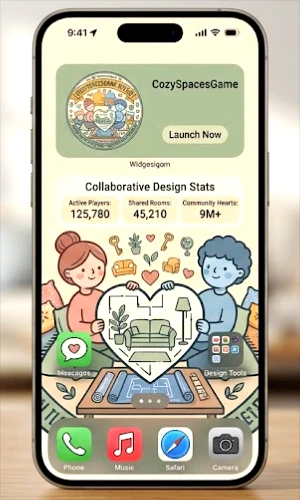
This article walks through what CozySpacesGame is, how it works, what makes it different from a typical solo decorating app, and whether it’s worth your time. If you’re searching for a relaxing, creative, social game to unwind with, this guide covers everything you need before you jump in.
Table of Contents
What Is CozySpacesGame?
CozySpacesGame is a cozy design game built around one simple idea: home decorating feels better when it’s shared. Instead of picking furniture and colors on your own, you join a community of players who help shape each other’s spaces. The result feels less like a solo puzzle and more like decorating a home with friends.
The ‘cozy game’ label matters here. Cozy games are a growing genre built around relaxation instead of competition — no timers pushing you to fail, no losing streaks, no pressure. CozySpacesGame fits squarely into that category, with interior design as its main creative outlet and community collaboration as its heart.
This is part of a larger shift in mobile gaming. Over the past few years, more players have started looking for games that calm them down instead of stressing them out. Farming sims, decorating apps, and slow-paced life simulators have all grown for the same reason: people want a screen activity that feels like a hobby, not a competition. CozySpacesGame sits right in that space, but it adds something most decorating apps skip — real interaction with other players who share the same love of cozy, personal interiors.
Think of it less like a strict game with levels to beat, and more like a shared digital scrapbook of homes. Every player brings their own taste, and the community as a whole ends up building a huge, ever-changing collection of cozy spaces that anyone can browse for inspiration.
At its core, the game gives you:
- A blank or partly furnished room to redesign
- A library of furniture, colors, textures, and decor items
- Tools to share your finished space with other players
- Ways to see, react to, and get inspired by other people’s rooms
- A community layer where everyone is working toward the same goal — making homes feel cozy
Key Features
Collaborative Room Design
The standout feature is the ‘redesign together’ concept. Rather than decorating in isolation, you can contribute to shared spaces, take inspiration from other players’ choices, or invite others to help shape a room you’re working on.
A Deep Furniture and Decor Library
Cozy design games typically offer a wide range of styles — from minimalist and Scandinavian to warm cottagecore and modern boho. Expect a similar mix of furniture, wallpaper, flooring, plants, and small decorative touches that let each room feel personal rather than generic.
Community Feed and Inspiration
A social feed lets you browse rooms built by other players, save looks you like, and get ideas for your own space. This is one of the simplest ways cozy design games keep people coming back — there’s always a new room to explore.
Relaxed, No-Pressure Gameplay
There’s no fail state in a cozy decorating game. You can take your time, undo changes, and experiment freely. This makes it a genuinely relaxing pastime rather than a stressful challenge.
Personal Progress and Customization
As you play, you typically unlock new furniture sets, color palettes, and room types, giving your designs more range the longer you stick with it.
Multiple Room Types and Layouts
A game built for redesigning homes usually goes beyond a single living room. Expect a mix of room types — bedrooms, kitchens, home offices, reading nooks, balconies, and even small outdoor patios — so you’re never stuck decorating the same layout twice. Each room type tends to come with its own set of furniture options suited to that space, which keeps the design choices feeling relevant rather than random.
Style Filters and Themes
Because taste in home design varies so much from person to person, cozy design games usually organize their furniture libraries by style. You might filter by cottage core, mid-century modern, Japandi, coastal, industrial, or maximalist, which makes it much easier to build a room with a consistent look instead of hunting through hundreds of unrelated items.
Player Profiles and Portfolios
Your finished rooms usually live on a personal profile that acts like a design portfolio. Other players can visit your profile, browse your past rooms, and follow you if they like your style — a small but meaningful feature that turns casual decorating into something closer to a creative hobby you can build over time.
How to Download or Access CozySpacesGame
Availability can vary by device and region for any mobile or web-based game, so the safest way to get started is to search for CozySpacesGame directly on your device’s official store — the Apple App Store on iPhone or iPad, or Google Play on Android. If a web version exists, search for the game’s official website rather than a third-party download link.
- Open the App Store or Google Play on your device.
- Search for “CozySpacesGame.”
- Confirm the listing matches the official developer before installing.
- Tap install and wait for the download to finish.
- Open the app and allow any permissions it genuinely needs, such as storage for saving your designs.
How to Register and Set Up Your Account
Most cozy design games use a simple sign-up process so you can save your progress and join the community. A typical setup looks like this:
- Open the app and tap Sign Up or Get Started.
- Choose to register with an email address, or sign in with an existing Google or Apple account for a faster setup.
- Pick a username — this is usually how other players will see your rooms and profile.
- Set a profile picture or avatar if the game offers one.
- Complete any short onboarding tutorial that introduces the design tools.
- Start your first room and begin decorating.
If the game includes in-app purchases, you won’t need to enter any payment details just to sign up or play the free features. Only add a payment method when you intentionally choose to buy in-game currency or premium items, and always do this through the official app store’s payment system rather than any outside link.
In-Game Currency and Purchases
Cozy design games commonly use a soft in-game currency (earned through play) alongside an optional premium currency (purchased with real money) for exclusive furniture or decor packs. Since exact pricing and currency names can change or vary by app version and region, always check the in-app store screen for current, accurate figures rather than relying on outside estimates.
- Soft currency: usually earned by completing rooms, daily logins, or community challenges
- Premium currency: typically purchased directly through the App Store or Google Play billing system
- Cosmetic focus: purchases usually unlock furniture, themes, or decor rather than gameplay advantages, which is standard for this genre
Because all payments for a legitimate mobile game route through Apple’s or Google’s official billing system, you’re protected by their standard purchase and refund policies. Be cautious of any request to pay outside the app itself — that’s not how legitimate in-app purchases work.
Gameplay and Platform Experience
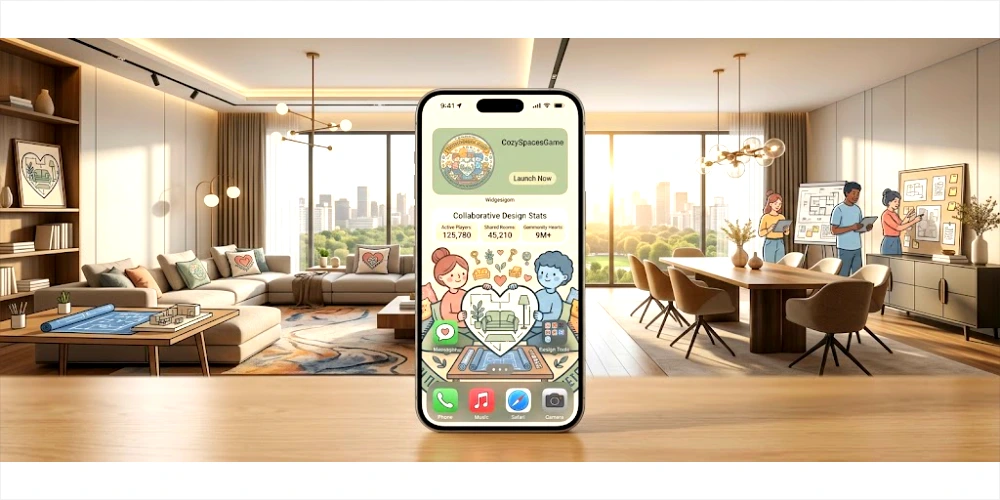
The heart of CozySpacesGame is the room editor. You place furniture, adjust colors, and layer in small details — a rug here, a plant there — until the space feels finished. What separates it from a typical solo decorating app is the social loop built around that editor.
You might start a room, get feedback or contributions from other players, and finish it with a mix of your own taste and community input. Some cozy design games also include themed events or challenges — for example, designing a cozy reading nook or a warm autumn kitchen — which give the community a shared creative prompt to work from.
The overall pace is slow and low-stakes by design. This is a game meant to be played in short, relaxing sessions rather than in long, high-focus sittings.
A typical session might start with opening a room you left half-finished, adding two or three new pieces of furniture, then swapping over to the community feed to see what other players have built since your last visit. Because there’s no timer and no penalty for stepping away, the game fits naturally into small pockets of free time — a coffee break, a commute, or a few quiet minutes before bed.
Solo Mode Vs Collaborative Mode
Most cozy design games let you choose how social you want to be. In solo mode, you decorate privately and only share a room once it’s finished, if you choose to at all. In collaborative mode, you can invite friends or open a room to community contributions, letting other players add furniture or suggest changes in real time. This flexibility means introverted players and highly social players can both enjoy the same game in the way that suits them.
Cross-Device Play
Since progress is usually tied to your account rather than a single device, you can typically pick up a room on your phone, then continue it later on a tablet, as long as you’re signed in with the same account. This is worth confirming in the app’s own settings, since cross-device support can vary between versions.
Benefits and Advantages
- A relaxing, low-pressure creative outlet with no fail states
- A genuine community element that most solo decorating apps don’t offer
- Inspiration from real player-designed rooms instead of only preset templates
- A wide range of styles, so the game suits many different tastes
- Approachable for complete beginners — no design experience needed
- A pleasant way to unwind that doesn’t require quick reflexes or strategy
There’s also a practical benefit that’s easy to overlook: cozy design games like this one can double as real inspiration for your actual home. Testing out a color palette or furniture layout digitally, and seeing how other players react to it, can help you figure out what you’d actually want to try in your own living room — all without spending a rupee on paint or furniture until you’re sure.
For many players, the appeal also comes down to mental space. A short decorating session gives your brain something to focus on that isn’t work, isn’t a deadline, and isn’t stressful — which is exactly why cozy games have grown so much in popularity over the past few years.
Safety and Security
Because CozySpacesGame includes a social and community layer, it’s worth treating it with the same basic care you’d use on any app where you interact with other users.
- Only download the app from the official App Store or Google Play listing
- Avoid sharing personal information in your username, bio, or public profile
- Report or block other users if you experience harassment or inappropriate content
- Make all purchases through the official app store billing system, never through outside links sent by other players
- Check the app’s privacy policy to understand what data it collects before signing up
If the app is intended for younger players, parents should review its privacy policy and any community or chat features before letting kids use it, since community-driven apps often include public profiles or comment sections.
Rewards and Community Events
Cozy design games typically keep players engaged through light reward systems rather than aggressive monetization. Common examples in this genre include:
- Daily login rewards, such as small amounts of in-game currency
- Seasonal or themed design challenges tied to holidays or aesthetics
- Community voting on featured rooms
- Unlockable furniture sets tied to completing certain milestones
Exact rewards and events will depend on the current version of the app, so check the in-game events tab for what’s active right now rather than assuming older promotions still apply.
Community-driven cozy games also tend to build in social recognition alongside material rewards. Being featured on a curated or trending feed, getting likes and comments from other players, or winning a themed design challenge can matter just as much to regular players as unlocking new furniture. That mix of small in-game rewards and genuine community appreciation is a big part of what keeps this genre relaxing rather than grindy — nobody is forced to compete, but there’s still something nice about seeing your work appreciated.
Tips for a Better Experience
- Start with a small room before tackling a full house — it’s easier to finish and feel satisfied.
- Browse the community feed for inspiration before you get stuck on a blank room.
- Save a few color palettes you like so your rooms feel consistent.
- Join or follow other players whose style you enjoy for regular inspiration.
- Take part in themed events, since they often introduce exclusive decor items.
- Don’t rush — cozy games are meant to be played slowly and without pressure.
- Log in daily if the game offers login rewards, since these add up over time.
CozySpacesGame vs Solo Decorating Apps
If you’ve used a solo home-design app before, it’s fair to ask what CozySpacesGame actually adds. The short answer is community and momentum. A solo app gives you tools and leaves you to it, which can feel great for a while but often loses its pull once you’ve finished a room or two. A community-based cozy design game keeps giving you reasons to come back — new rooms to browse, new player styles to learn from, and small events that push you to try something you wouldn’t have designed on your own.
| Aspect | Solo Decorating App | CozySpacesGame |
| Design tools | Yes | Yes |
| Community feed | Rarely | Yes |
| Collaborative rooms | No | Yes |
| Inspiration from real players | Limited | Ongoing |
| Themed community events | Uncommon | Yes |
| Social recognition (likes, follows) | No | Yes |
| Best for | Quiet, private decorating | Decorating plus a creative community |
Pros and Cons
| Pros | Cons |
| Relaxing, no-pressure gameplay | Progress and rewards may feel slow without spending |
| Strong community and collaboration angle | Requires an internet connection for social features |
| Wide variety of decor styles | Premium items may require in-app purchases |
| Beginner-friendly design tools | Community content quality can vary |
| Regular inspiration from other players | Availability may vary by device or region |
What is CozySpacesGame?
CozySpacesGame is a cozy, community-based home design game where players decorate rooms and collaborate with others to build warm, personalized spaces together.
Is CozySpacesGame free to play?
What is CozySpacesGame?
CozySpacesGame is a cozy, community-based home design game where players decorate rooms and collaborate with others to build warm, personalized spaces together.
Do I need an account to play?
Most games in this genre require a quick sign-up with email or a Google/Apple account so your rooms and progress are saved and visible to the community.
Can I play CozySpacesGame without joining the community features?
Many cozy design games let you decorate privately and only interact with the community when you choose to share a room, browse the feed, or take part in events.
Is CozySpacesGame available on both iOS and Android?
Availability depends on the current release, so the most reliable way to check is searching for the app directly in the Apple App Store and Google Play.
Are in-app purchases required to enjoy the game?
No. Purchases in this type of game are typically cosmetic, meaning they unlock extra styles rather than gameplay advantages, so you can enjoy the core decorating experience without spending.
Is CozySpacesGame suitable for beginners with no design experience?
Yes. Cozy design games are built to be approachable, with drag-and-drop style tools and preset color and furniture options that don’t require any design background.
How is CozySpacesGame different from a solo decorating app?
The main difference is the community layer. Instead of designing in isolation, you can see other players’ rooms, get inspired by their choices, and collaborate on shared spaces.
Can I decorate privately without sharing my rooms?
In most cozy design games, yes. You can typically keep rooms private and only share them with the community when you’re ready, giving you control over how public your creative process is.
What devices does CozySpacesGame support?
This depends on the specific release, so check the app’s official store listing for confirmed device and operating system support before downloading.
Final Verdict
CozySpacesGame fits neatly into the growing world of cozy games — low-pressure, creative, and built around a genuinely nice idea: that decorating feels better when it’s shared. If you enjoy home design, soft aesthetics, and a friendly community rather than competition, it’s worth trying.
It won’t be for everyone. If you’d rather decorate entirely on your own without any social layer, a simpler solo decorating app might suit you better. But for players who like the idea of redesigning cozy homes together, sharing inspiration, and slowly building a personal style alongside a community, CozySpacesGame delivers exactly the kind of relaxed, creative experience it promises.