
Hexa Stack Game: The Complete 2026 Guide to Download, Play, and Master the Hex Puzzle
now
60MB
V1.1.71
Android 5+
500K+
Description
If your phone screen has been full of colorful hexagon tiles lately, you have probably come across Hexa Stack. It is one of those puzzle games that looks simple at first glance, then quietly becomes the thing you open every time you have five free minutes. There is no violent action and no confusing menu system, just calm, satisfying color-sorting that somehow keeps pulling you back for one more level.
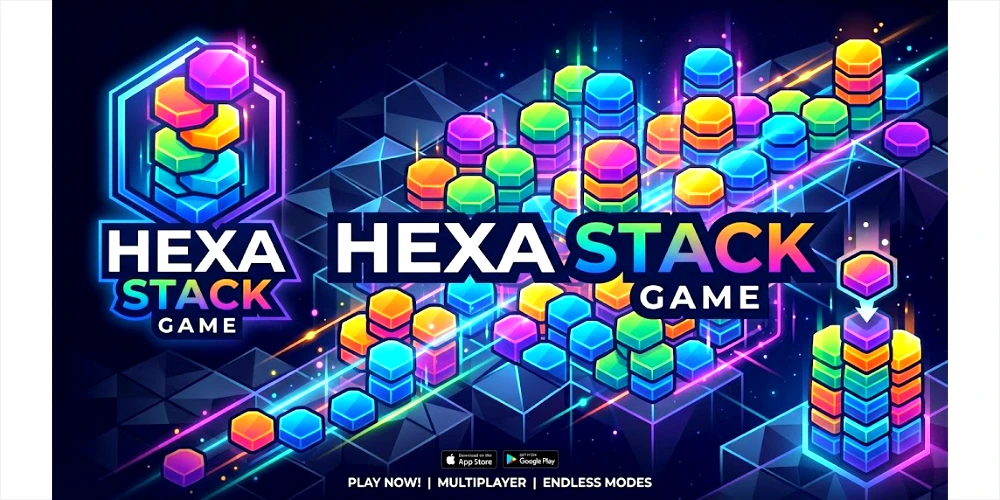
This guide walks you through everything worth knowing about Hexa Stack: what the game actually is, how to download it the safe way, how the scoring and stacking system works, and a few tips that make the harder levels much less frustrating. Whether you just heard about it or you are already stuck on a tricky board, you will find something useful here.
Table of Contents
What Is Hexa Stack?
Hexa Stack is a casual mobile puzzle game built around one simple idea: sort hexagon-shaped tiles by color and clear them from the board before you run out of moves or space. You drag tiles into open slots, group matching colors together, and once a stack reaches its full count, it clears and hands you points.
It sits in the same relaxed puzzle family as other color-sort and merge games, but the hexagon shape gives it a slightly different rhythm. There is usually no countdown clock chasing you, which is a big part of why players describe it as relaxing rather than stressful.
One thing that genuinely helps here: more than one studio has released a game called Hexa Stack, including versions from SOFTGAMES, OneSoft Global, and a few smaller independent developers. The core color-sorting idea is shared across most of them, but level design, art style, and bonus features can differ from one version to the next. If you found the game through an ad or a friend’s recommendation, check the developer name on the store listing before you download, so you get the exact version you were looking for.
Where the Idea Comes From
Hex-based color sorting is a natural extension of the tile-matching genre that has stayed popular on mobile for years. Instead of swapping tiles on a square grid, Hexa Stack uses six-sided tiles, which changes how pieces connect and how satisfying a big clear feels. The honeycomb layout also leaves room for creative obstacles, like tiles locked under ice, chains, or stone that need a few clever moves to free.
Who Hexa Stack Is Really Made For
Puzzle games get bundled together a lot, but Hexa Stack tends to appeal to a slightly different crowd than fast-paced match-three titles. It suits people who want a mental break rather than a challenge that spikes their heart rate. Commuters killing time on a bus, students taking a study break, or anyone who likes background music and gentle color patterns tend to enjoy it the most.
It also works well for players who are newer to mobile gaming in general. Because the drag-and-sort mechanic is so visual, you do not need to read long instructions or understand complicated rules before your first stack clears. That accessibility is a big reason the game keeps showing up in casual gaming recommendations across Pakistan and other markets where budget Android phones are common.
Key Features of Hexa Stack
Here is a quick look at what makes Hexa Stack stand out from other puzzle games on the Play Store and App Store.
| Feature | What It Means For You |
| Hexagon color-sort mechanic | Drag hex tiles together to group them by color and clear the board |
| Merge and stack system | Collect matching tiles until a stack is complete, then watch it clear for points |
| No time limit | Play at your own pace with no countdown clock pushing you to rush |
| Booster tools | Hammer, swap, shuffle, and refresh tools help you escape tricky boards |
| Hundreds of levels | A long level ladder that slowly introduces new tile types and blockers |
| Leaderboards and weekly quests | Compare scores with friends and complete quests for extra rewards |
| Progressive themes | Unlock new color palettes and scenery sets as you advance through levels |
| Light on storage | Casual puzzle games in this genre are usually small, mobile-friendly downloads |
None of these features need a tutorial that lasts twenty minutes. Most players understand the drag-and-sort system within their first level, which is exactly the kind of low barrier to entry that keeps a puzzle game fun instead of frustrating.
How Hexa Stack Compares to Other Puzzle Games
If you have played match-three games like candy or fruit-matching titles before, Hexa Stack will feel familiar but calmer. There is no board-wide combo chasing, no aggressive timer, and no pressure to chain moves quickly for a bonus score. Instead, the game rewards patience and planning, which makes it feel more like a thinking game than a reflex game.
Compared to number-merging or block-stacking puzzles, Hexa Stack leans harder into color recognition and spatial planning. You are constantly reading the board to figure out which tile to move next, rather than reacting to falling pieces. This slower pace is exactly what draws in players who found other puzzle genres too stressful.
How to Download Hexa Stack
Hexa Stack is distributed officially through the Google Play Store on Android and the Apple App Store on iPhone. Downloading through these official stores is the safest route, since both platforms scan apps for malware and keep the listing tied to a verified developer account.
Steps to Download on Android
- Open the Google Play Store app on your phone.
- Type “Hexa Stack” into the search bar.
- Check the developer name under the title to confirm you have the version you want.
- Tap Install and wait for the download to finish.
- Open the app once it appears on your home screen.
Steps to Download on iPhone
- Open the App Store on your iPhone or iPad.
- Search for “Hexa Stack” and review the screenshots and developer name.
- Tap Get, then confirm with Face ID, Touch ID, or your Apple ID password.
- Wait for the app to install, then tap to open it.
A simple safety habit worth keeping: only download from the official store listing on your device, and avoid third-party download sites that offer install files outside the Play Store or App Store. Since Hexa Stack is a free, officially listed game, there is no real need to look anywhere else for it.
How to Register or Sign In
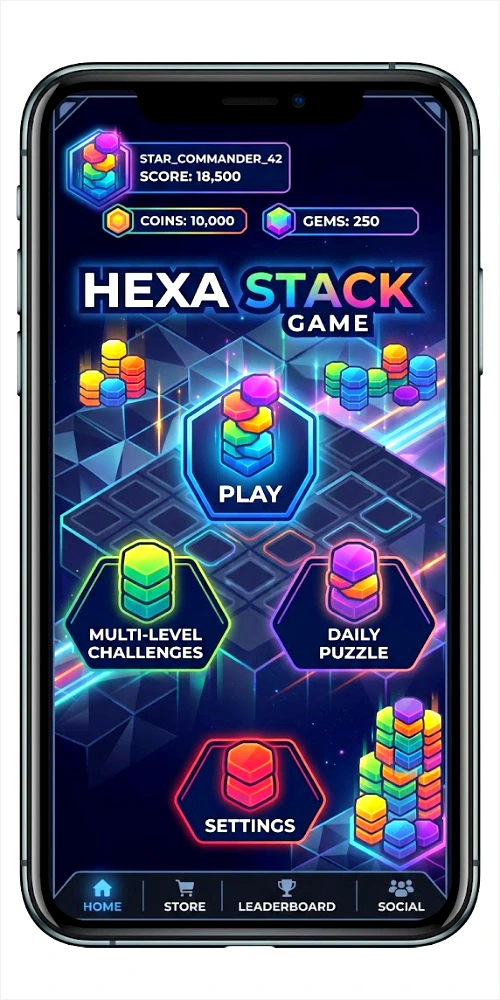
Hexa Stack does not require account creation to start playing. You can open the app and jump straight into the first levels as a guest. An account only becomes useful if you want to save your progress across devices or compare scores with friends.
Linking an Account for Progress Backup
- On Android, sign in with Google Play Games from the in-game settings menu to back up your level progress.
- On iPhone, the game can use Game Center for the same purpose, if the version you installed supports it.
- Once linked, your stars, coins, and level position sync automatically if you switch to a new phone.
- You can unlink or switch accounts at any time from the same settings menu.
If you skip this step, your progress is still saved locally on your device, so casual players who only use one phone rarely need to bother with linking an account at all.
In-App Purchases: How Spending Works in Hexa Stack
Hexa Stack is free to download and free to play from start to finish. Like most casual puzzle games, it offers optional in-app purchases for players who want extra boosters, ad-free sessions, or bundles of coins to speed up progress. Nobody needs to spend anything to finish levels or enjoy the core game.
What You Can Typically Buy
- Booster packs, such as extra hammers, shuffles, or refresh tools
- Coin bundles that can be exchanged for boosters inside the shop
- An ad-removal option, if the installed version shows ads between levels
- Limited-time bundles tied to seasonal events or new level packs
Managing Purchases Safely
- All purchases go through Google Play or the Apple App Store, using the payment method already linked to your account, such as a debit or credit card, Google Play balance, or Apple ID balance.
- Turn on purchase confirmation in your phone’s settings so every buy needs a password, PIN, or biometric approval.
- If you are setting the game up for a child, enable parental controls or a spending limit in the Play Store or App Store family settings before handing over the phone.
- Keep an eye on your purchase history through the Play Store or App Store account settings, not through the game itself.
Because everything runs through Google’s or Apple’s official billing system, there is no separate wallet, deposit process, or manual transfer involved, unlike real-money gaming apps that use services like JazzCash or Easypaisa. It is a straightforward, store-managed purchase system.
Gameplay and Platform Experience
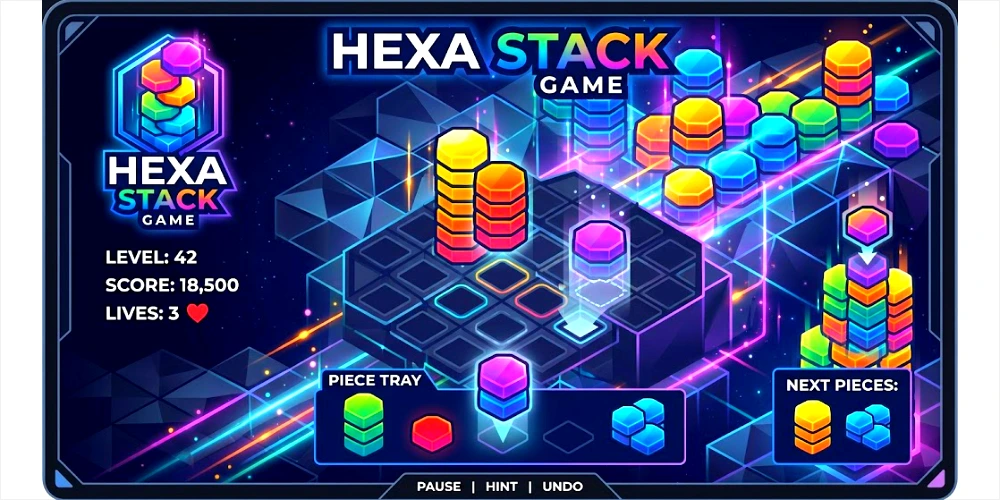
The first few levels of Hexa Stack ease you in gently. You will see a handful of hexagon tiles in a few colors, and your only job is to drag matching tiles next to each other until a stack completes and clears. It takes less than a minute to understand, and that low learning curve is a big part of the game’s appeal.
As you move further in, the board introduces new challenges. Locked tiles covered in ice or chains need you to clear the tiles around them first before they can be sorted. Limited slots on the board mean you have to think a couple of moves ahead instead of dragging tiles randomly. This is where the game shifts from simple to genuinely strategic, without ever feeling unfair.
A Typical Level Walkthrough
- The board loads with a mix of colored hexagon tiles and a few empty slots.
- You drag a tile into an empty slot or onto a matching tile to start a stack.
- Stacks that reach their target count clear automatically and award points.
- If the board fills up with no useful moves left, you can use a booster or restart the level.
- Completing the level unlocks the next one and, on some versions, a small piece of a bigger picture or scene.
On both Android and iOS, the controls feel about the same: a simple drag-and-drop gesture that works whether you are using a small budget phone or a large flagship screen. The game runs light enough that it does not demand a high-end device, which matters a lot for players on mid-range Android phones.
Benefits and Advantages of Playing Hexa Stack
Beyond simple entertainment, a handful of practical advantages explain why Hexa Stack has held onto a loyal player base rather than fading after a few weeks of downloads.
- Genuinely relaxing pace, since most versions do not use a countdown timer
- Easy for beginners to pick up, with almost no learning curve
- Works well as a short break game or a longer, unwinding session
- Free to start, with purchases staying entirely optional
- Regular content updates keep the level list feeling fresh instead of repetitive
- Light on phone storage and battery use compared to graphics-heavy games
There is also a mental angle worth mentioning. Sorting and pattern-matching tasks like this are often used informally as a way to unwind after a busy day, similar to how some people use coloring books or simple word puzzles. Hexa Stack is not a substitute for genuine rest, but it fits neatly into a five or ten minute break without demanding your full focus the way a competitive game would.
Safety and Security
Since Hexa Stack is distributed through official app stores, it goes through Google’s and Apple’s standard app review and malware scanning before it ever reaches your phone. That said, a few habits keep your experience safer:
- Always confirm the developer name on the store listing before installing, since more than one studio uses the Hexa Stack name.
- Avoid downloading install files from outside the Play Store or App Store, even if a website claims to offer the same game.
- Review what data the app requests during setup, and only grant permissions the game actually needs to run.
- Keep the app updated through the store so you get the latest security and bug fixes automatically.
- If you link a Google Play Games or Game Center account, use the same account security practices you would use anywhere else, including a strong password and two-factor authentication where available.
Rewards, Bonuses, and In-Game Perks
Hexa Stack keeps players engaged with small, frequent rewards rather than one-time bonuses. These usually include:
- Daily login rewards that hand out free coins or a booster for opening the app
- Weekly quests that reward you for completing a set number of levels
- Leaderboard placements among friends, which some versions reward with bonus coins
- Seasonal events with limited-time levels, themes, or booster bundles
- Milestone rewards for reaching certain level numbers or clearing streaks
These rewards are designed to keep the game feeling generous without pushing players toward spending. You can comfortably progress using only what you earn through regular play.
Tips for a Better Hexa Stack Experience
- Plan two or three moves ahead instead of dragging the first matching tile you see.
- Save your boosters for levels with locked tiles rather than using them early on easy boards.
- Clear tiles around chained or icy blocks first, since they usually cannot be sorted directly.
- Check daily rewards every time you open the app, since they add up over a week.
- Take short breaks if a level feels frustrating. The game is built for relaxed play, and rushing tends to backfire.
- Link a Google Play Games or Game Center account early if you plan to switch phones later, so you do not lose progress.
Pros and Cons Table
| Pros | Cons |
| Simple, relaxing gameplay with no pressure or timers | In-app purchases can feel repetitive if you skip them |
| Free to download and play on Android and iOS | Ads may appear between levels depending on the version |
| Regular content updates keep levels feeling fresh | Difficulty can spike suddenly on certain boards |
| Works well even on budget Android phones | Several apps share the same name, which can confuse new players |
| Good for short breaks or long, unwinding sessions | Progress may not sync across devices without a linked account |
Is Hexa Stack free to play?
Yes. Hexa Stack is free to download and free to play from start to finish. It offers optional in-app purchases for boosters and ad removal, but none of them are required to enjoy or finish the game.
Do I need to create an account to play Hexa Stack?
No. You can play as a guest right away. An account, linked through Google Play Games or Game Center, is only needed if you want to back up your progress across devices.
Why are there multiple apps named Hexa Stack?
A few different studios, including SOFTGAMES and OneSoft Global, have each released a puzzle game under the Hexa Stack name. They share a similar hexagon color-sort concept but differ in level design and art style, so it helps to check the developer name before downloading.
Is Hexa Stack safe to download?
Downloading through the official Google Play Store or Apple App Store is the safest option, since both platforms screen apps before listing them. Avoid installing the game from unofficial websites offering direct install files.
Does Hexa Stack work on low-end Android phones?
Yes. As a casual 2D puzzle game, Hexa Stack is light on processing power and storage, so it runs smoothly on most budget and mid-range Android devices.
Can I play Hexa Stack without an internet connection?
Many casual puzzle games, including Hexa Stack, allow offline play for regular levels, though features like leaderboards, cloud saves, and live events usually need an internet connection to update.
How do I remove ads in Hexa Stack?
If the version you installed shows ads, most offer a one-time in-app purchase to remove them permanently. This option is usually found in the in-game shop or settings menu.
What should I do if I get stuck on a level?
Try using a booster like a hammer or shuffle tool, clear any blocked tiles around locked pieces first, or simply restart the level with a clearer plan. Taking a short break and returning with a fresh eye also helps more than people expect.
What Should I Do If Hexa Stack Is Not Working?
Start with the basics: force close the app and reopen it, then check whether an update is waiting in the Play Store or App Store. If the game still will not load, restarting your phone or freeing up some storage space usually resolves the issue, since low storage can prevent updates and cause crashes on some Android devices.
Is Hexa Stack Suitable for Kids?
The core gameplay is simple and non-violent, which makes it broadly appropriate for younger players. If you are handing the game to a child, it is still worth setting up parental controls or a spending limit through your phone’s family settings, since in-app purchases are available in the shop.
Final Verdict
Hexa Stack earns its popularity by keeping things simple. There is no steep learning curve, no aggressive monetization forcing your hand, and no stressful timer pushing you through levels. It is the kind of game you open for two minutes and somehow still enjoy twenty minutes later. If you are looking for a relaxing puzzle game that works well on almost any Android or iPhone, and you do not mind that a few similarly named versions exist, Hexa Stack is worth the download. Just confirm the developer name before installing, stick to the official Play Store or App Store, and you will have a smooth, satisfying puzzle experience from your very first




