
AI Video Editor Smart Video Editing APP in 2026
NOW
7.28MB
V1.1.71
ANDROID 7+
1023

Description
Introduction
Video content is growing faster than ever. From YouTube videos and Instagram Reels to business marketing and online education, almost everyone needs quality videos today. However, traditional video editing can take a lot of time, effort, and technical skills.
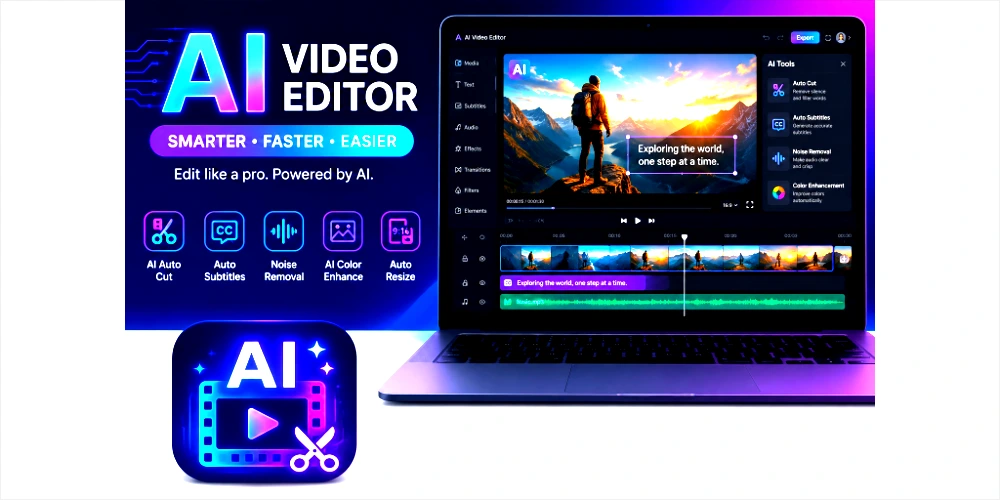
This is where an AI video editor becomes useful.
AI-powered editing tools are changing how people create videos. Instead of spending hours cutting clips, adding captions, improving sound, or adjusting effects manually, artificial intelligence can now do many of these tasks automatically.
Whether you are a beginner, content creator, marketer, student, freelancer, or business owner, an AI video editor can help save time and improve productivity.
In this guide, you will learn everything about AI video editors, including how they work, their features, benefits, safety, common issues, tips, and the best way to choose one for your needs.
Table of Contents
What Is an AI Video Editor?
An AI video editor is software that uses artificial intelligence to make video editing easier and faster. Instead of manually editing every scene, AI tools can understand content and automate many editing tasks.
For example, an AI tool can:
- Automatically cut unnecessary footage
- Add subtitles instantly
- Improve audio quality
- Remove background noise
- Generate transitions
- Create scripts from text
- Add music recommendations
- Improve lighting and colors
This means even beginners can create professional-looking videos without advanced editing knowledge.
Many creators now use AI video editors to produce YouTube videos, short-form content, marketing ads, educational content, and presentations.
Key Features of AI Video Editors
Different video editing tools offer different features, but most include several smart functions.
Automatic Video Editing
AI can analyze your footage and automatically create a polished video by trimming unwanted sections and arranging clips in a better sequence.
AI Subtitles and Captions
Many tools automatically generate subtitles. This helps improve accessibility and viewer engagement, especially on social media platforms.
Background Noise Removal
Bad audio quality can ruin a video. The tools can remove background noise and improve voice clarity automatically.
Smart Scene Detection
AI recognizes important scenes and moments, making editing faster and more organized.
Text-to-Video Creation
Some advanced video editors allow users to create videos simply by entering text prompts.
AI Voiceovers
Users can generate voiceovers without recording their own voice.
Auto Resizing for Social Media
Videos can automatically be resized for platforms like:
- YouTube
- TikTok
- Instagram Reels
- Shorts
Background Removal
Some AI editors remove backgrounds without requiring a green screen.
Color Enhancement
AI can improve brightness, contrast, and color balance for better visual quality.
How AI Video Editors Work
The video editors work by using machine learning and automation technologies.
The system analyzes your uploaded content and identifies:
- Voice
- Faces
- Motion
- Scene changes
- Audio quality
- Text
- Background elements
Based on this analysis, the software suggests or applies edits automatically.
For example, if there are silent moments in your video, AI may remove them automatically. If audio is unclear, the tool can improve it.
This makes editing faster compared to traditional manual software.
Types of AI Video Editors
There are different categories of the video editing tools available today.
Beginner-Friendly AI Editors
These tools are designed for users with no editing experience.
Best for:
- Students
- Beginners
- Social media creators
- Personal projects
Professional AI Editors
These tools provide advanced editing options while still using AI automation.
Best for:
- Filmmakers
- Agencies
- Professional creators
- Businesses
Online AI Video Editors
These editors work directly in browsers without software installation.
Benefits include:
- Easy access
- Cloud storage
- Faster collaboration
Mobile AI Video Editors
Many apps are designed for Android and iPhone users.
These are useful for:
- Short videos
- TikTok editing
- Instagram Reels
- Travel videos
How to Access or Download AI Video Editor Tools
The method depends on the platform you choose.
Android
- Open Google Play Store.
- Search for an AI video editor app.
- Install your preferred tool.
- Open the app and create an account.
iOS
- Open App Store.
- Search for AI video editing apps.
- Install the application.
- Register or log in.
Browser Version
Many video editors work online.
Steps:
- Visit the official website.
- Sign up.
- Upload your footage.
- Start editing instantly.
Desktop Software
Some professional editors support:
- Windows
- macOS
Simply download the software from the official website and install it.
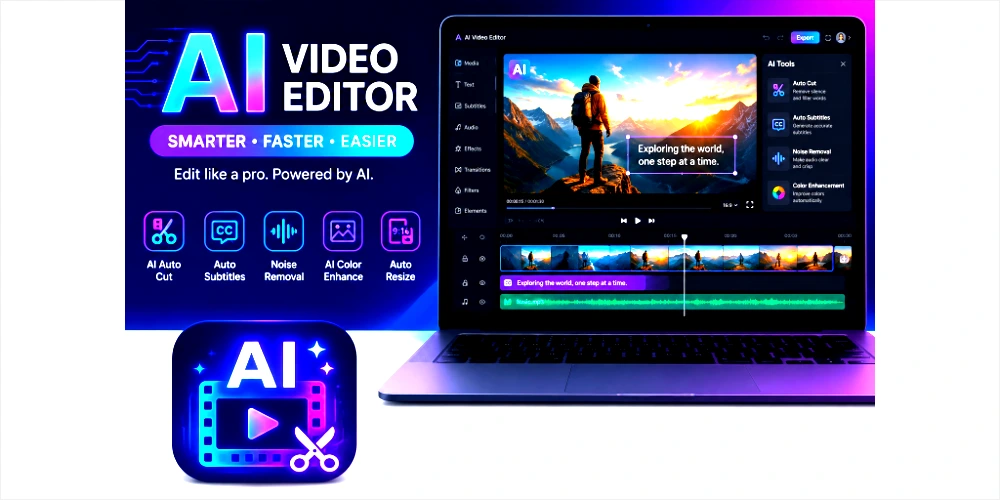
How to Sign Up and Get Started
Most AI video editing tools follow a simple registration process.
Step 1: Visit the Website or Install the App
Choose your preferred AI editor.
Step 2: Create an Account
Usually, you can sign up using:
- Google account
- Apple ID
Step 3: Select a Plan
Some editors are free, while others provide premium plans.
Step 4: Upload Your Video
Upload your clips to begin editing.
Step 5: Use AI Features
Apply:
- Auto captions
- Noise removal
- Templates
- AI effects
- Auto edits
Step 6: Export Your Video
Choose quality settings and download the final result.
Video Editing Experience
One of the biggest advantages of an AI video editor is ease of use.
Most modern platforms offer:
Simple Interface
The layout is usually beginner-friendly.
Fast Editing
Editing tasks that once took hours can now be completed in minutes.
Better Productivity
Creators can produce more videos in less time.
Smart Recommendations
AI tools suggest:
- Effects
- Music
- Video cuts
- Templates
- Captions
This improves workflow and saves effort.
Popular Uses of AI Video Editors
AI video editing technology is useful in many industries.
YouTube Content
Creators use AI to edit videos faster and improve audience engagement.
Social Media Videos
Short-form content creators use AI for:
- Reels
- Shorts
- TikTok videos
Marketing Videos
Businesses create promotional content quickly.
Educational Videos
Teachers and online educators use AI-generated subtitles and automation.
Freelancing
Freelancers use AI video editors to deliver projects faster.
Personal Projects
Families and hobby creators can edit travel memories or event videos.
Benefits and Advantages of AI Video Editors
There are several reasons why people prefer the editing tools today.
Saves Time
AI automates repetitive editing work.
Beginner-Friendly
No advanced editing skills are required.
Better Productivity
Users can produce more content faster.
Improved Quality
AI improves sound and visuals.
Cost-Effective
Some tools reduce the need for expensive editing services.
Easy Social Media Optimization
Videos can be optimized for different platforms quickly.
Is an AI Video Editor Safe to Use?
Generally, yes, most trusted video editor platforms are safe.
However, users should consider several factors.
Privacy
Read the privacy policy before uploading sensitive content.
Data Security
Use trusted tools with secure encryption.
Account Protection
Always:
- Use strong passwords
- Enable two-factor authentication
- Avoid unknown platforms
Risks
Potential risks include the following:
- Data sharing
- Limited privacy
- Watermarked exports in free plans
Responsible usage is important.
Common Problems and Solutions
Slow Exporting
Problem: Video rendering takes too long.
Solution: Reduce file size or improve internet speed.
Poor Video Quality
Problem: Exported videos appear blurry.
Solution: Select higher export resolution.
Subtitle Errors
Problem: AI captions contain mistakes.
Solution: Review subtitles manually before publishing.
Login Issues
Problem: Unable to access account.
Solution: Reset password or clear browser cache.
App Crashes
Problem: Editing app closes unexpectedly.
Solution: Update the app or free device storage.
Tips for Better Video Editing Experience
If you want better results, follow these practical tips.
Use High-Quality Footage
Good input creates better output.
Review AI Suggestions
Do not rely fully on automation.
Edit Captions Manually
Always check subtitles for mistakes.
Choose the Right Format
Different platforms require different aspect ratios.
Keep Videos Short and Engaging
Short videos often perform better online.
Use clear audio.
Better sound improves viewer experience.
Pros and Cons of APK
| Pros | Cons |
|---|---|
| Saves editing time | Some features require payment |
| Beginner-friendly | AI can make mistakes |
| Fast subtitle generation | Free plans may add watermarks |
| Better workflow | Limited creative control in some tools |
| Easy social media editing | Requires internet for cloud editors |
Frequently Asked Questions
What is an AI video editor?
An AI video editor is software that uses artificial intelligence to automate video editing tasks such as trimming, captions, and sound improvement.
Is an AI video editor free?
Some AI video editors offer free plans, but premium features may require payment.
Is AI video editing good for beginners?
Yes, beginners can use AI video editing tools because many tasks are automated.
Can AI edit videos automatically?
Yes, many tools can automatically trim clips, improve audio, and add captions.
Are AI video editors safe?
Trusted platforms are generally safe, but users should review privacy policies.
Can I use AI video editors on mobile?
Yes, many AI video editors are available for Android and iOS devices.
Do AI video editors work offline?
Some desktop software works offline, but many cloud-based tools require internet access.
Can AI create videos from text?
Yes, advanced AI tools can generate videos using written prompts.
Which is the best AI video editor?
Which is the best AI video editor?
Are AI subtitles accurate?
Most AI subtitles are accurate, but manual review is recommended.
Final Verdict
AI video editing is changing the way people create content. Whether you are a beginner or an experienced creator, using an AI video editor can save time, improve productivity, and make video production easier.
These tools are especially useful for people who want fast results without spending hours learning traditional editing software.
However, choosing the right platform matters. Always compare features, pricing, privacy, and ease of use before making a decision.
If used correctly, an AI video editor can become one of the most useful tools for content creation in 2026.