XM Trading App 2026: A Complete Guide for Beginners and Traders
now
116MB
V1.1.71
1004000
Description
Introduction
A few years ago, trading forex or stocks meant sitting at a desktop computer, waiting for charts to load, and hoping you didn’t miss a market move while you were away from your desk. That’s changed. More people now open and close trades from their phones between meetings, during a commute, or from the couch. Mobile trading apps have made markets accessible in a way that simply wasn’t possible a decade ago.
The XM Trading App is one of the mobile platforms built for this shift. It belongs to XM Group (also known as Trading Point), a forex and CFD broker that has been operating since 2009. The app is designed to let existing XM account holders check markets, place trades, and manage their accounts from a phone instead of a desktop terminal.
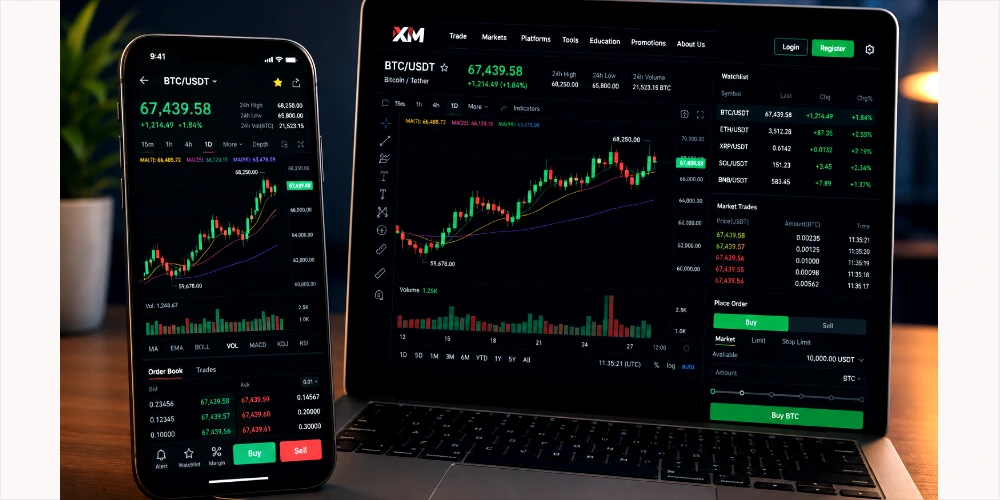
This article walks through what the XM Trading App actually does, how its account types differ, how to download and register, what markets you can trade, and what to keep in mind — including the risks — before you start. If you’re researching XM for the first time, or just want to understand the app before committing real money, this guide covers the practical details you need.
Table of Contents
What Is XM Trading App?
The XM Trading App is the official mobile application from XM Group, used to access and manage XM trading accounts on Android and iOS devices. It isn’t a separate broker or a standalone product — it’s the mobile companion to XM’s broader trading infrastructure, which also includes the MetaTrader 4 (MT4) and MetaTrader 5 (MT5) platforms.
XM Group was founded in 2009 and has grown into one of the more widely recognized retail forex and CFD brokers, serving clients in a large number of countries. The purpose of the app is straightforward: give traders a way to monitor markets, open and close positions, manage deposits and withdrawals, and access basic research tools without needing a laptop nearby.
The app is intended for anyone who already has, or is opening, an XM trading account — from complete beginners testing a demo account to more experienced traders who want mobile access alongside their desktop MT4/MT5 setup. It’s available for Android phones through the Google Play Store and for iPhones through the Apple App Store, and it also works alongside XM’s web-based platform for anyone who prefers not to install a separate app.
XM Trading App Features
The app brings together several tools that were traditionally split across a browser and a separate charting platform. Here’s what it includes:
- A straightforward trading interface — checking a price, placing an order, or reviewing an open position doesn’t require digging through multiple menus
- Real-time market data, so you’re viewing current market conditions rather than delayed quotes
- Forex and CFD trading, all from the same account
- TradingView-powered charts with multiple timeframes, drawing tools, and access to an economic calendar
- Multiple account types depending on trading style and budget
- Demo account access using virtual funds before risking real money
- MT4 and MT5 integration for traders who prefer MetaTrader for deeper technical analysis
- Trade management tools, including price alerts
- Account monitoring — balance, equity, open positions, and trade history — plus deposit and withdrawal functions
It’s worth noting that some features — such as copy trading or certain instruments like crypto CFDs — may only be available through specific parts of the app or may vary by region, so it’s sensible to check what’s available in your account before assuming a feature applies to you.
XM Trading Account Types
XM offers a small number of account types, and which ones are available to you can depend on which XM entity you register under (this is determined by your country of residence).
Demo Account
A demo account uses virtual funds instead of real money, so you can practice placing trades and get used to the platform without financial risk. Demo accounts are a reasonable starting point for anyone new to trading, since they let you see how the interface and order types work in practice.
Micro Account
The Micro account is built around smaller trade sizes, which makes it easier to manage risk while learning. It typically requires a low minimum deposit, making it accessible to beginners who want to trade with real money but keep exposure limited.
Standard Account
The Standard account uses regular lot sizes and is suited to traders who want full access to XM’s range of instruments. It also tends to have a low minimum deposit requirement, so it isn’t necessarily reserved for more experienced traders — many people move to a Standard account once they’re comfortable with the basics.
Other Account Types
Depending on your region, XM may also offer accounts such as an Ultra Low account (aimed at traders who prioritize tighter spreads) and a Shares account for direct share trading, which usually requires a considerably higher minimum deposit. Islamic (swap-free) account options are also available in many regions for traders who require them.
Because account availability and minimum deposit amounts can change and vary by country, it’s worth checking XM’s official website for the current requirements in your region before opening an account.
How to Download XM Trading App
Downloading the app follows the same general process as most financial apps:
- Visit the official XM website or go directly to the Google Play Store or Apple App Store
- Search for the XM Trading App
- Download and install the application
- Open the app and either log in with an existing XM account or create a new one
- Once logged in, access your account, fund it, and start using the platform
XM App Download for Android
Android users can find the app on the Google Play Store by searching “XM App.” Since it’s listed on the official Play Store, installation doesn’t require enabling third-party app sources — it installs the same way as any other Play Store app.
XM App Download for iOS
iPhone users can find the same app on the Apple App Store by searching “XM.” As with any App Store download, it installs directly without needing extra permissions.
Because the app is available on both official stores, there’s no need to download it from a third-party website — doing so would only increase security risk without any real benefit.
XM Registration and Login Guide
Creating a New Account
- Provide basic personal details, including your name, email address, and country of residence
- Choose the account type and trading platform you want to use
- Verify your email address through a confirmation link
- Complete identity verification (KYC) by uploading a form of ID and proof of address — this is standard for regulated financial platforms and usually reviewed within a day or two
- Fund your account to activate live trading, or skip this step if you’re starting with a demo account
Logging In
Logging in simply requires your registered email and password once your account is set up. If you use two-factor authentication, you’ll also need your verification code.
Common Login Problems
Common login problems usually come down to a few things: an expired or forgotten password (solved with the app’s password reset option), an unverified email address, or a temporary lock after multiple failed login attempts. If none of these apply and you still can’t log in, contacting XM’s customer support directly is the most reliable way to resolve it, since account-specific issues aren’t something a general guide can diagnose.
How Does XM Trading App Work?
Analyzing the market. Before placing a trade, most traders look at price charts, recent news, and technical indicators to form a view on where a market might move. The app’s charting tools support this kind of analysis directly from your phone.
Placing a trade. You select an instrument, decide whether you’re buying (going long, expecting the price to rise) or selling (going short, expecting the price to fall), set your trade size, and confirm the order.
Using charts and indicators. Tools like moving averages, trend lines, and support/resistance levels help traders assess whether a market movement is likely to continue or reverse. These are analytical aids, not guarantees — no indicator predicts future price movement with certainty.
Managing open positions. While a trade is open, you can monitor its performance, adjust stop-loss and take-profit levels, or close it manually if your view on the market changes.
Closing trades. A trade can be closed at any time before it hits its stop-loss or take-profit level, locking in whatever profit or loss has accumulated at that point.
Trading Instruments Available on XM
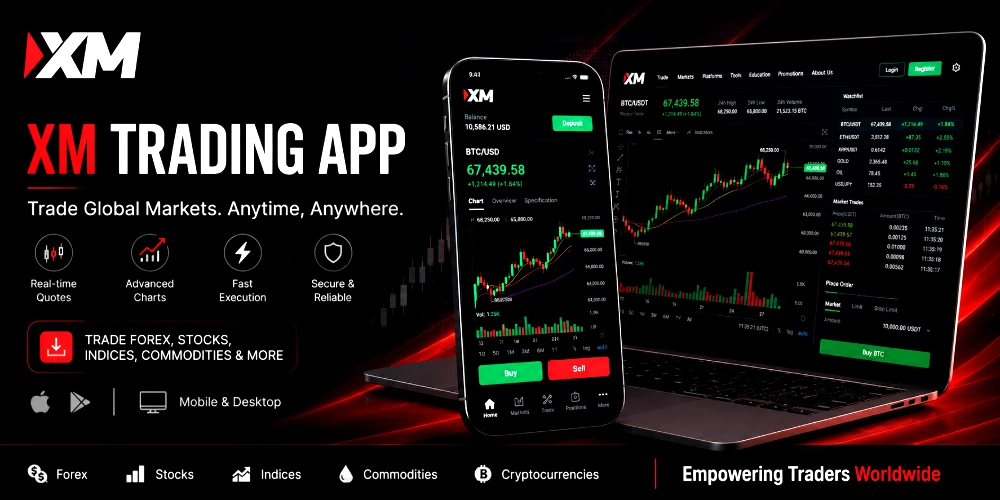
XM offers access to a fairly broad range of markets through a single account:
- Forex currency pairs — major, minor, and exotic pairs, allowing traders to speculate on the relative value of different currencies
- Commodities — including energy products and soft commodities like agricultural goods
- Indices — CFDs on major global stock indices, letting traders take a position on a broad market rather than a single company
- Stocks — CFDs on individual company shares, and in some regions, direct share ownership through a separate Shares account
- Metals — precious metals such as gold and silver are commonly traded as a way to diversify away from currency and equity markets
- CFDs generally — contracts for difference let traders speculate on price movement without owning the underlying asset
The exact number and range of instruments can vary slightly depending on your account type and region, so it’s worth checking the current instrument list in the app before assuming a specific asset is available.
XM Deposit and Withdrawal Methods
XM supports a range of payment methods, which commonly include bank cards, bank transfers, and various e-wallet options, though the exact list depends on your country. Deposits are generally processed quickly, often within minutes for card and e-wallet payments, though bank transfers can take longer.
Withdrawals typically follow the same route you used to deposit, which is a standard anti-fraud practice among regulated brokers rather than something specific to XM. Processing times for withdrawals vary by method and can take anywhere from same-day to a few business days.
Before relying on any payment method, it’s worth checking XM’s current fee schedule, minimum/maximum limits, and expected processing times directly on their website, since these details can change and may differ by region.
XM Trading App: Advantages and Disadvantages
| Advantages | Disadvantages |
| Mobile access lets you monitor and trade markets from anywhere | Trading involves real financial risk, including the possibility of losing your full deposit |
| Beginner-friendly interface and demo account for practice | Feature and account availability depends on your country/region |
| Multiple trading instruments available in one account | Market volatility can cause rapid, unpredictable losses |
| MT4/MT5 integration for traders who want deeper technical tools | No proprietary desktop platform — MT4/MT5 remain the primary desktop option |
| Low minimum deposit on several account types | Regulatory protections differ depending on which XM entity you’re registered under |
Is XM Trading App Safe and Legit?
XM Group operates under several regulatory licenses depending on the entity you sign up with, including bodies such as the Cyprus Securities and Exchange Commission (CySEC), the Australian Securities and Investments Commission (ASIC), and other regulators in jurisdictions including Belize, Mauritius, Seychelles, and the UAE. Regulation matters because it typically requires brokers to keep client funds in segregated accounts and follow specific conduct and reporting standards.
That said, regulatory protection isn’t uniform. Which entity you’re registered under — and therefore which rules apply to your account — depends on your country of residence, and offshore entities generally offer fewer protections than tier-one regulators like ASIC or the EU’s CySEC framework. It’s worth checking, directly on XM’s website, exactly which entity and regulator applies to your specific account before depositing funds.
Beyond regulation, basic account security practices matter too: use a strong, unique password, enable two-factor authentication if it’s offered, and never share your login details. No broker or app can protect you from trading losses caused by market movement — that risk sits with the trader, not the platform.
This article isn’t a guarantee of safety or a recommendation to trade with XM specifically. It’s a summary of publicly available information, and anyone considering a real-money account should independently verify current regulatory status and read XM’s official terms before depositing funds.
XM Trading Tips for Beginners
- Start with a demo account — there’s no cost to practicing with virtual funds until you’re comfortable with how orders, charts, and the app itself work
- Learn risk management before anything else — position sizing and stop-loss orders matter more to long-term outcomes than picking the “right” trade
- Understand basic market analysis — you don’t need to master every indicator, but knowing what you’re looking at on a chart helps you make more informed decisions
- Avoid emotional trading — chasing losses or increasing position size after a losing streak is one of the most common ways beginners lose more than they intended to risk
- Use proper position sizing — risking a small, defined percentage of your account on any single trade limits how much damage one bad trade can do
- Keep learning — markets change, and ongoing education is part of trading responsibly rather than a one-time step
XM Trading App Alternatives
XM is one of many mobile trading apps available to retail traders, and it’s reasonable to compare it against others before deciding where to open an account. Brokers such as Exness, HFM, FXTM, and Pepperstone offer similar mobile trading apps with MT4/MT5 support and comparable low minimum deposits, though each differs in regulatory coverage, spread structure, and available instruments. Some traders also compare XM against brokers with proprietary desktop platforms, since XM itself relies on MetaTrader rather than an in-house terminal. Because trading conditions and regulations change over time, it’s worth comparing current terms across a few brokers rather than relying on a single review.
What is XM Trading App?
It’s the official mobile app from XM Group, used to trade forex and CFDs, manage account funds, and access charts and market data from an Android or iOS device.
How do I download XM App?
Search for “XM App” on the Google Play Store (Android) or Apple App Store (iOS) and install it directly — no third-party download is needed.
Is XM Trading App free?
Yes, downloading and installing the app itself is free. Trading costs come from spreads, and in some account types, commissions — not from the app itself.
How do I create an XM account?
You register through the app or website with basic personal details, verify your email, complete identity verification, and choose an account type before funding it.
Does XM support MT4 and MT5?
Yes, XM accounts can be linked to both MetaTrader 4 and MetaTrader 5, in addition to the XM app itself.
Can beginners use XM Trading App?
Yes, the app includes a demo account and beginner-oriented account types, which makes it reasonably accessible to new traders — though beginners should still learn the basics of risk management before trading with real funds.
Is XM Trading App safe?
XM operates under regulation from several financial authorities depending on the entity you register with, but the protections that apply depend on your region. Always verify the current regulatory status directly with XM before depositing money.
What markets can I trade on XM?
Forex pairs, commodities, indices, stocks (via CFDs, or direct shares in select regions), and metals are all available through XM accounts, though the exact list can vary by region and account type.
Conclusion
The XM Trading App brings together the core functions of forex and CFD trading — market data, charting, order placement, and account management — into a single mobile application, built to work alongside XM’s existing MT4/MT5 infrastructure. For beginners, the combination of a free demo account, a low minimum deposit, and a straightforward interface lowers the barrier to getting started. For more experienced traders, the app functions as a mobile extension of tools they may already use on desktop.
None of that changes the fact that trading forex and CFDs carries real financial risk. Prices can move quickly and unpredictably, and it’s possible to lose money, including your full deposit. Before committing real funds, it’s worth spending time on a demo account, learning the basics of risk management, and independently verifying XM’s current regulatory status for your region. Treat any trading app — XM included — as a tool for executing a plan you understand, not a shortcut to guaranteed profit.