
Documenso APK: How to Use the Open-Source E-Signature Tool on Android
now
6.25MB
V1.1
500K+
Description
Introduction
Printing, scanning, and emailing documents just to get a signature is slow and frustrating. Digital signatures solve this problem, but many popular tools come with high fees and limited control over your data.
Documenso offers a free, open-source alternative to DocuSign and similar platforms. Many Android users search for a Documenso APK so they can sign and manage documents on their phones. This guide explains what Documenso is, whether an official Android APK exists, how to access it safely on mobile, and the best ways to use it without risking malware.
Table of Contents
What is Documenso?
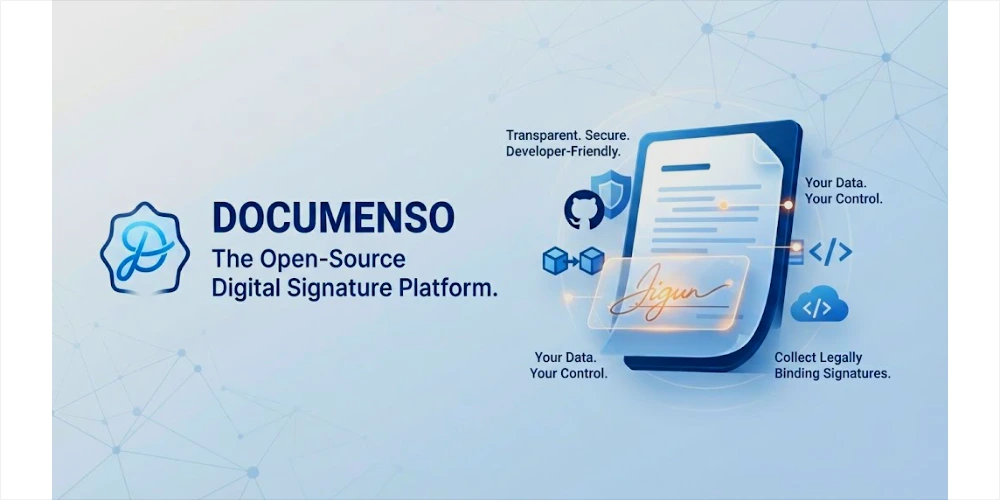
Documenso is an open-source digital signature and document signing platform. It allows individuals, freelancers, teams, and businesses to upload documents, add signature fields, send them to recipients, and collect legally binding electronic signatures.
Unlike proprietary services, Documenso can be self-hosted. This gives you full control over your data and removes per-document or subscription fees common with other tools. The project is maintained on GitHub and offers both a free community edition and paid hosted/enterprise options.
Core goals of Documenso include transparency, data ownership, and providing a modern, developer-friendly alternative to closed e-signature platforms.
Key Features of Documenso
Legally Binding E-Signatures
Documenso supports drawn, typed, and uploaded signatures. Completed documents include a certificate and audit trail that help demonstrate the signing process.
Document Templates and Reusable Forms
Create templates for contracts, NDAs, agreements, and other recurring documents. This saves time when you send similar files repeatedly.
Audit Trail and Timestamping
Every action is logged. You can view who signed, when they signed, and other relevant details for compliance and record-keeping.
Self-Hosting and Data Ownership
You can run Documenso on your own server using Docker. This keeps sensitive documents under your control instead of a third-party cloud.
API and Developer Integrations
A public API (including a stable V2) lets developers embed signing flows, automate document creation, and connect Documenso with other tools.
Team Collaboration and Multi-User Support
Organizations and teams can manage shared workspaces, roles, and document workflows.
Custom Branding and White-Labeling
Paid plans allow custom colors, logos, and styling so the signing experience matches your brand.
Modern, User-Friendly Interface
The platform features a clean document editor, responsive design, and a straightforward signing experience for recipients.
Is There an Official Documenso APK for Android?
No official Documenso APK currently exists.
Documenso is a web-based application. There is no native Android app listed on Google Play, and the official GitHub repository and website do not provide APK downloads. Independent reviews confirm that as of mid-2026, there is no dedicated iOS or Android application.
You can still use Documenso effectively on Android through a mobile browser. The interface is responsive and works well for signing documents and basic management tasks.
How to Use Documenso on Android Without an APK (Recommended Method)
The safest and most reliable way to use Documenso on Android is through a mobile browser or by installing it as a Progressive Web App (PWA).
Method 1: Use Documenso in Your Browser
- Open Chrome, Firefox, or another modern browser on your Android device.
- Go to the official website: https://documenso.com
- Sign up or log in to your account (or access a signing link if you are a recipient).
- Upload documents, add fields, send for signature, or complete signatures as needed.
The mobile web version handles signing tasks smoothly. For heavier document management, a desktop browser may feel more comfortable.
Method 2: Add Documenso to Your Home Screen (PWA-style experience)
- Open the Documenso website in Chrome on Android.
- Tap the three-dot menu in the top-right corner.
- Select “Add to Home screen” or “Install app” (wording may vary).
- Confirm the name and tap Add.
This creates an icon on your home screen that opens Documenso in a full-screen browser window, giving a more app-like feel without installing any APK. This approach receives automatic updates from the official site and avoids the security risks of sideloading unknown APKs.
Safety and Security Tips for Downloading APKs
Even though no official Documenso APK is available, these general rules apply to any Android software:
- Only download from official sources such as the developer’s website, GitHub releases, or Google Play.
- Never install “modded,” “cracked,” or “premium unlocked” versions of any app.
- Check file hashes or digital signatures when the developer provides them.
- Keep your Android system and browser updated.
- Use a reputable antivirus or security app to scan any downloaded file before installing.
- Be cautious of websites that rank high for “APK download” searches but are not affiliated with the original project.
For Documenso specifically, stick to the official website and GitHub repository.
Documenso vs. Alternatives
The table below compares Documenso with popular alternatives:
| Feature | Documenso | DocuSign | HelloSign | PandaDoc |
| Pricing | Free / Open-source + paid | Paid | Paid | Paid |
| Self-hosting | Yes | No | No | No |
| Official Android App | No (web/PWA) | Yes | Yes | Yes |
| API Access | Yes (strong) | Yes | Yes | Yes |
| Data Control | High (self-host) | Low | Low | Low |
Documenso stands out for users who value open-source software, self-hosting, and avoiding per-envelope fees.
Pros and Cons of Documenso
Pros
- Completely free to self-host (Community Edition)
- Full data ownership and privacy
- Strong API and developer tools
- No per-document fees
- Active open-source community
- Modern interface and growing feature set
Cons
- No official native Android or iOS app
- Self-hosting requires some technical knowledge
- Smaller ecosystem and brand recognition compared to DocuSign
- Mobile experience relies on browser/PWA rather than a dedicated app
Frequently Asked Questions
Is Documenso really free?
Yes. The open-source Community Edition can be self-hosted at no cost. Hosted plans and enterprise features are available for those who prefer managed service.
Is Documenso legally binding for e-signatures?
Documenso produces electronic signatures with audit trails and certificates. Legal validity depends on your jurisdiction and use case. For highly regulated industries, review local e-signature laws and consider enterprise compliance features.
Can I self-host Documenso on my own server?
Yes. Official documentation provides Docker-based setup instructions. Visit the GitHub repository and docs for the latest guidance.
Is there an official Documenso Android app?
No. There is currently no official Android APK or Google Play listing. Use the website or install it as a home-screen shortcut.
Is it safe to download Documenso APK from third-party sites?
No. Unofficial APKs are not provided by the Documenso team and may be unsafe. Stick to the official website.
Does Documenso work offline?
No. It requires an internet connection to upload, send, and complete signing workflows.
Conclusion
Documenso is a capable open-source alternative to traditional e-signature platforms. While many people search for a Documenso APK, no official Android application currently exists. The recommended and safest way to use Documenso on Android is through a mobile browser or by adding the website to your home screen for a convenient, app-like experience.
Always access the platform from the official website or GitHub repository. Avoid any third-party APK files claiming to be Documenso.




