
HeyGen: Complete Guide to AI Video Generation, Avatars, Features & Pricing (2026)
now
60MB
V1.1
Android 5+
300
Description
Introduction
AI video tools have moved from experimental novelty to practical production infrastructure. Teams that once needed cameras, lighting, talent, and editors can now generate polished talking-head videos from a script in minutes. HeyGen sits in this category as a platform focused on realistic AI avatars, text-to-video generation, multilingual translation with lip sync, and scalable content creation for marketing, training, sales, and education.
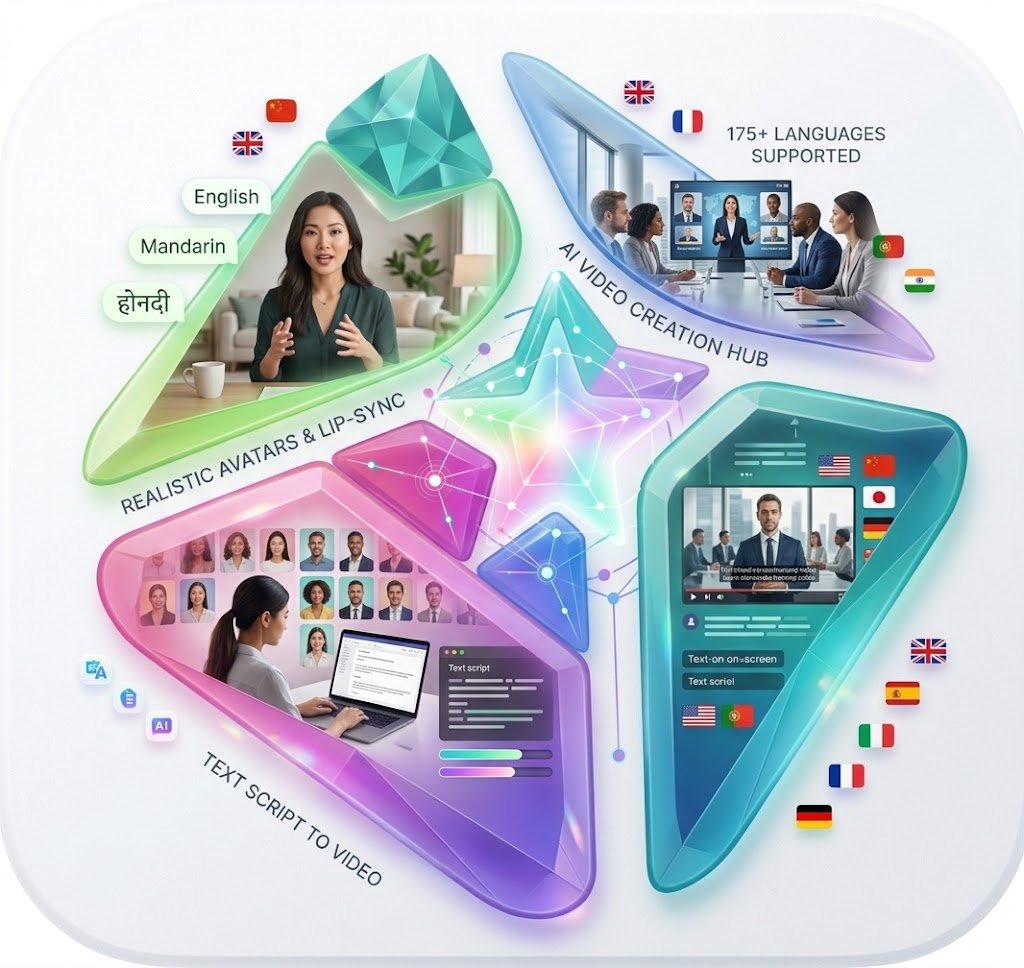
This guide explains what HeyGen is, how it works, its main features, practical use cases, pricing (verified against official sources as of mid-to-late 2026), strengths and limitations, how it compares with alternatives, and who it best serves. Pricing, feature limits, and language support can change, so always confirm details on the official HeyGen pricing and documentation pages before committing.
Table of Contents
What Is HeyGen?
HeyGen is an AI video generation platform that lets users create high-quality videos featuring realistic talking avatars from text scripts, without filming or traditional editing. Users select or create an AI avatar (stock or custom), enter a script, choose a voice and language, customize scenes, and generate a finished video. The platform supports over 175 languages and dialects, advanced lip-sync technology, video translation/localization, voice cloning options, templates, and tools aimed at both individual creators and business teams.
It is designed for people and organizations that need consistent, scalable video content—marketing videos, training modules, product explainers, sales outreach, social posts, e-learning, and internal communications—while avoiding the time and cost of conventional production. Unlike traditional video production, which requires equipment, talent coordination, location work, and post-production, HeyGen reduces the process largely to scripting and generation. Businesses and creators use it to produce content faster, localize for global audiences, maintain brand presence through digital spokespersons, and scale output without proportional increases in headcount or budget.
How Does HeyGen Work?
The core workflow is straightforward even for beginners:
- Choose a video format, aspect ratio, or template (horizontal, vertical/social, or from a library of ready-made layouts).
- Select a stock AI avatar or create a custom one (including photo-based or digital twin options).
- Enter or paste a script (or upload audio in some flows).
- Choose an AI voice, language/dialect, and any voice customization.
- Customize the scene—backgrounds, text overlays, B-roll or supporting visuals where available, branding elements, and basic layout.
- Generate the video. The system handles lip synchronization, facial expressions, and rendering.
- Review the result, make edits (script tweaks, scene adjustments, translation proofreading on higher plans), and regenerate if needed.
- Export or share the finished video (resolution and watermark rules depend on plan).
Higher-tier plans add faster processing, higher resolution, more concurrent generation, collaboration tools, and advanced avatar models. The platform emphasizes accessibility: no camera, crew, or deep editing expertise is required for basic results.
Key HeyGen Features
AI Avatars
HeyGen provides a library of stock video avatars (hundreds available, with higher plans offering broader access) plus options for custom digital twins and photo avatars. Avatar IV-style models can generate talking avatars from a single photo, with improved facial motion, expressions, and lip sync. These avatars serve as digital spokespersons for consistent on-brand delivery across videos. Applications include training presenters, marketing hosts, sales outreach, and educational guides. Realism has improved over time, though results still depend on script quality, lighting/photo quality for custom avatars, and viewer expectations around AI-generated faces.
AI Voices and Voice Generation
Users can select from a large library of AI voices or use voice cloning (limits vary by plan). Voices support many languages and dialects. Some controls exist for pacing, emotion, or mirroring recorded speech on supported plans. Natural delivery improves engagement; mismatched voice or poor pronunciation can reduce credibility, so testing is important.
Text-to-Video Creation
The primary flow turns written scripts into complete videos with an avatar speaking the content, lip-synced and often accompanied by basic scene elements. This is the core “type a script, get a video” capability that defines the category.
AI Video Translation
HeyGen can translate existing or newly created videos into 175+ languages and dialects, with options for audio dubbing and full lip-synced translation. This supports localization for international audiences without re-filming. Users can often edit/proofread translated scripts on higher plans. Dynamic duration adjustments help align timing.
Lip-Sync Technology
Accurate lip synchronization between the spoken audio and avatar mouth/facial movements is central to believability. HeyGen’s systems aim for natural matching across languages. Poor sync is a common criticism of earlier AI video tools; modern iterations have narrowed the gap, though extreme head angles, rapid cuts, or low-quality source material can still affect results.
Video Templates
Ready-made templates for common formats (ads, explainers, social, training) speed up production and help maintain consistent structure and branding.
Custom or Personalized Avatars
Options include creating digital twins from short recordings or photos, generating looks/outfits, and (on business plans) multiple custom avatars. Consent and ethical use rules apply, especially for likenesses of real people. Interactive or conversational avatar capabilities exist in related products for real-time experiences.
Business and Team Features
Higher plans add collaboration (comments, workspaces, invites), brand kits, SSO/SAML, SCORM/LMS export for learning content, interactive video elements (quizzes, branching), higher concurrency, centralized billing, and admin controls. These support marketing teams, L&D departments, and enterprises scaling video production.
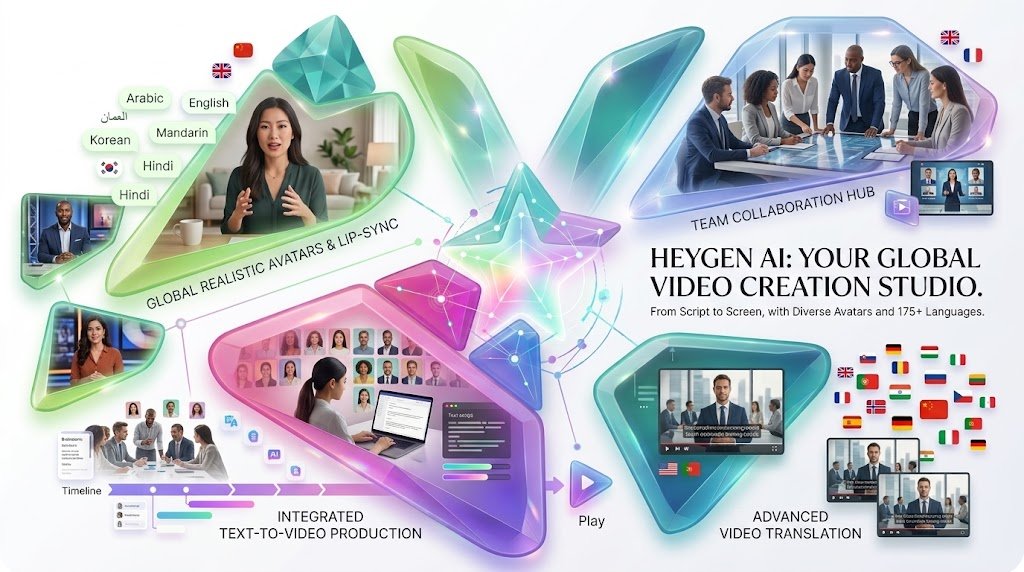
How to Create a Video With HeyGen
A practical beginner path (interface details can evolve; treat this as a high-level guide):
- Create a free account on the official HeyGen site (no credit card required for the free tier).
- Choose to create from scratch, use a template, or start from an avatar. Select a format (e.g., landscape or vertical).
- Pick a stock avatar or begin a custom/photo avatar process.
- Write or paste a clear, conversational script. Keep it focused and reasonably short for better results.
- Select a voice and target language/dialect. Preview audio where available.
- Customize backgrounds, text, basic visuals, and branding.
- Generate the video and wait for processing (paid plans generally receive priority/faster queues).
- Review for accuracy of lip sync, pronunciation, pacing, and on-screen elements. Edit the script or scenes and regenerate as needed. On supported plans, proofread translations.
- Export at the allowed resolution and share or download. Check watermark and quality limits for your plan.
Start simple, iterate, and refine scripts based on the output.
What Can You Use HeyGen For?
Practical applications include:
- YouTube and long-form educational or explainer videos
- Social media short-form content (vertical formats)
- Marketing and promotional videos
- Product demonstrations and feature walkthroughs
- Corporate and internal communications or announcements
- Employee training and onboarding modules
- Educational and e-learning content
- Sales presentations, outreach, and personalized video campaigns
- Customer onboarding and support explainers
- Multilingual/localized versions of existing content
- Founder or spokesperson videos without repeated filming
It excels at talking-head or avatar-led formats more than pure cinematic or highly animated storytelling.
HeyGen for Content Creators
Creators can reduce filming and editing time by generating consistent avatar-hosted videos from scripts. Benefits include faster publishing cadence, easier multilingual expansion, and the ability to maintain presence without being on camera every time. Drawbacks include potential audience sensitivity to AI faces (authenticity and trust concerns), the need for strong scripting to avoid robotic delivery, and the risk of over-reliance on AI output looking generic. Many creators use it for secondary content, localized versions, or as a supplement rather than a full replacement for personal on-camera work.
HeyGen for Businesses
Businesses apply it to marketing campaigns, product education, sales enablement, L&D/training libraries, employee communications, customer support videos, and global localization. Team features support collaboration and brand consistency. Enterprise needs around security (SOC 2, GDPR claims on official materials), governance, and volume are addressed on higher plans. It can lower production and translation costs while increasing output volume, though script quality and review processes remain essential for professional results.
HeyGen Pricing
Always verify the current official pricing page, as plans, credits, limits, and pricing change. Information below reflects official HeyGen pricing details available in 2026.
- Free: $0/month. Limited videos (commonly up to 3 per month, short duration such as ~1 minute), basic access, watermark on exports in many cases, restricted languages/features, and limited trials of premium capabilities. No credit card required to start.
- Creator: Approximately $29/month (or ~$24/month billed annually). Includes a monthly credit allocation (commonly 600 credits), videos up to ~30 minutes, 1080p export, watermark removal, broader avatar and language access (175+ languages/dialects on paid tiers), voice cloning options, and faster processing relative to free.
- Pro: Starts around $49/month (tiers scale with higher credit allotments up to much larger monthly credits). Adds 4K export, more credits (starting ~1,000), faster processing, translation script editing/proofreading, and advanced model access.
- Business: Around $149/month plus ~$20 per additional seat. Higher credits (~1,500), longer video limits (up to ~60 minutes in some descriptions), team collaboration, brand management, SSO, SCORM/LMS features, interactive video tools, and admin controls.
- Enterprise: Custom pricing. Flexible generation, highest concurrency, advanced security/governance (SCIM, MFA options, etc.), dedicated support, and commercial terms.
Credits are the usage currency. Costs vary by avatar model (e.g., older/basic models cheaper per minute than advanced Avatar IV/V models) and feature (translation with/without lip sync, Video Agent, etc.). Unused credits may roll over under specific rules (monthly vs. annual). API access has separate pay-as-you-go or plan options. Free and lower plans have clear limits on duration, resolution, concurrency, and premium features.
Pros and Cons of HeyGen
| Pros | Cons |
| Straightforward AI avatar video creation from scripts | Advanced features, higher quality models, and higher limits require paid plans |
| Strong avatar options and improving realism/lip sync | AI-generated faces and voices may not suit every brand or audience preference for authenticity |
| Broad multilingual support (175+ languages/dialects) with translation and lip sync | Output quality depends heavily on script quality, voice choice, and review effort |
| Faster production and lower barrier than traditional filming | Less suitable for highly cinematic, documentary-style, or fully custom-animated work |
| Useful for business, training, marketing, and localization at scale | Pricing is credit-based; heavy use of advanced models can consume allotments quickly |
| Templates, customization, and team features on higher plans | Features, limits, and pricing evolve; always re-check official sources |
HeyGen vs Other AI Video Generators
No single tool is universally best. Choice depends on primary need (avatar realism vs. stock-footage automation vs. generative creativity vs. enterprise training focus).
| Tool | Best For | AI Avatars | Video Style | Pricing Notes |
| HeyGen | Realistic talking-head, multilingual marketing/training | Strong stock + custom/photo | Script → avatar video + translation | Free limited; paid from ~$29/mo |
| Synthesia | Corporate training, L&D, enterprise | Strong professional avatars | Script-driven talking heads | Similar entry; strong enterprise focus |
| InVideo AI | Fast social/marketing with stock + AI | Limited or hybrid | Prompt/script → full videos with B-roll | Competitive entry pricing |
| Canva | Design users needing video in design suite | Basic AI video/avatar | Template + AI assists | Freemium/paid design plans |
| CapCut | Social short-form editing & effects | Limited AI avatar depth | Editing + some AI generation | Strong free tier |
| Runway | Creative/generative video & effects | Not primary focus | Generative models + editing | Credit-based creative plans |
| VEED | Browser editing, captions, basic AI | Basic | Editing-first with AI helpers | Freemium/paid |
HeyGen and Synthesia lead in dedicated avatar realism for presenter-style content. InVideo-style tools often win for rapid stock-driven social videos. Runway suits more experimental or effects-heavy generative work. Test free tiers against your specific scripts and quality bar.
Is HeyGen Worth Using in 2026?
For users whose main need is realistic AI avatar videos, text-to-video talking heads, multilingual localization with lip sync, or scalable training/marketing content, HeyGen is a strong contender. Ease of use for the core workflow is high, avatar and lip-sync quality have advanced, language support is broad, and business features support teams. Video quality is generally professional for talking-head formats when scripts are strong. Pricing is accessible at the entry paid level but credit consumption on advanced models requires monitoring. It is less ideal as a full replacement for cinematic production, highly personal on-camera storytelling, or complex multi-track editing. Many users find value in testing the free plan, then upgrading based on volume and feature needs.
Who Should Use HeyGen?
- Beginners exploring AI video without production experience
- Content creators needing consistent talking-head or localized output
- Marketing teams producing explainers, ads, and social content at scale
- Small businesses and startups wanting professional video without large crews
- Educators and e-learning developers
- Corporate L&D, communications, and training teams
- Agencies handling client video volume
- International or multilingual businesses prioritizing localization
Who May Not Need HeyGen?
Teams focused primarily on highly personal, documentary, or cinematic storytelling may prefer traditional filming. Projects requiring extensive manual timeline editing, complex motion graphics, or pure generative abstract video may be better served by dedicated editors or generative platforms like Runway. Brands extremely sensitive to any AI-generated appearance or those with very low volume needs may stick with simpler tools or occasional traditional production. Always evaluate against your authenticity requirements and quality standards.
Tips for Creating Better HeyGen Videos
- Write short, conversational, natural-sounding scripts with one clear message.
- Prefer everyday language over dense jargon.
- Match avatar appearance, clothing, and voice to your audience and brand.
- Test voices for clarity and emotional fit; review pronunciation carefully.
- Add supporting visuals, text, or simple B-roll where the platform allows to reduce pure talking-head monotony.
- Keep branding (colors, logos, fonts) consistent via brand kits on supported plans.
- Proofread scripts and translated versions thoroughly.
- Review full generated videos for lip sync, pacing, and unintended artifacts.
- Avoid flooding channels with purely AI content if audience trust depends on human presence.
- Respect copyright, privacy, consent for likenesses, and platform terms.
- Iterate: generate, critique, refine the script or settings, and regenerate.
What is HeyGen used for?
Creating AI avatar videos from scripts for marketing, training, education, sales, social content, and multilingual localization.
Is HeyGen free?
Yes, a free plan exists with limited monthly videos (typically a small number of short clips) and restrictions. Paid plans unlock higher limits, quality, and features.
Is HeyGen safe to use?
Official materials reference SOC 2 Type II and GDPR compliance, data encryption, and policies that user data is not used for model training. Review current privacy, security, and terms pages for your use case, especially enterprise or sensitive content.
Can HeyGen create videos from text?
Yes—this is a core capability (text-to-video with AI avatars).
Can HeyGen create AI avatar videos?
Yes. Stock, custom digital twin, and photo-based avatars are central features.
Can HeyGen translate videos?
Yes, with support for many languages/dialects and lip-sync options.
Does HeyGen support multiple languages?
Yes—175+ languages and dialects on paid plans (more limited on free).
Can I use HeyGen for YouTube videos?
Yes, for talking-head, explainer, or educational formats. Check platform policies on AI-generated content disclosure where relevant.
Is HeyGen suitable for businesses?
Yes, particularly for scalable marketing, training, sales, and localization, with stronger collaboration and security features on Business/Enterprise plans.
What are the best HeyGen alternatives?
Synthesia (strong for corporate training), InVideo AI (fast social/marketing assembly), and others depending on needs (Canva, CapCut, Runway). Test against your priorities.
Is HeyGen worth it in 2026?
For avatar-led, multilingual, or high-volume talking-head needs, many users find it valuable. Evaluate via the free plan against your quality, volume, and authenticity requirements.
Final Verdict
HeyGen is a capable, accessible AI video platform centered on realistic avatars, script-to-video generation, and strong localization features. Its main strengths are speed, reduced production barriers, multilingual reach, and practical business/creator applications. Limitations include credit-based usage on advanced features, the inherent constraints of AI faces and voices for some audiences, and the ongoing need for human oversight on scripts and final quality. It is well suited to marketers, trainers, educators, creators, and teams that need consistent talking-head or localized video at scale. It is less of a fit for purely cinematic or highly personal traditional production.
Test the free plan with your own scripts, compare output quality and cost against alternatives for your specific use cases, and confirm current pricing and limits on the official HeyGen site. Used thoughtfully—with strong writing, brand alignment, and review processes—it can meaningfully expand video capacity without the full overhead of conventional production.




