Claude AI: A Simple Guide to What It Is and How to Us
now
60MB
V1.1.68
android 5+
10M+

Description
If you have spent any time online in the last couple of years, you have probably seen people mention Claude AI. Maybe a coworker used it to draft an email, or a developer friend mentioned using it to write code. It has quietly become one of the most widely used AI assistants around, built by a company called Anthropic. But what does it actually do, and is it worth using over other AI tools you may have already tried?
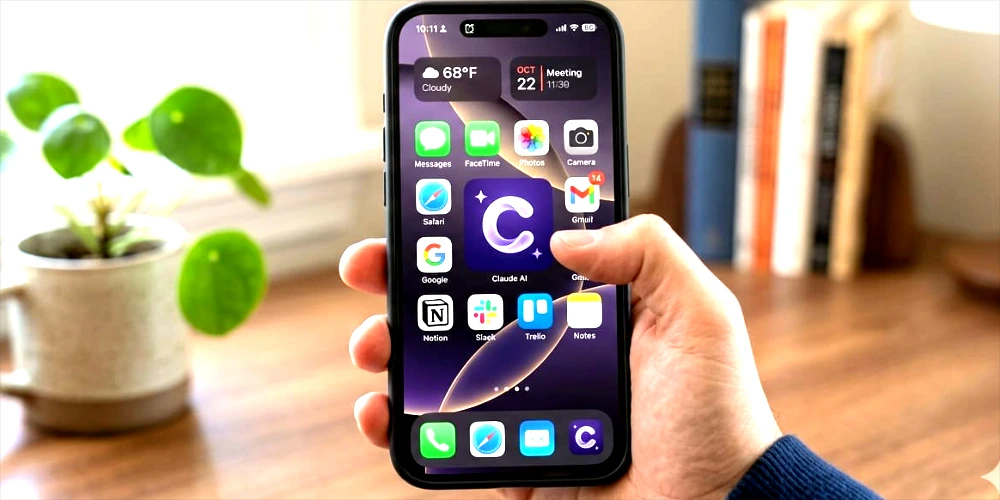
This guide breaks down what Claude.ai is, what it can help with, how much it costs, and how to get started, all explained in plain language without technical jargon.
What Is Claude AI?
Claude is an AI assistant made by Anthropic, a company focused on building AI systems that are safe and genuinely helpful. You can chat with Claude at claude.ai, through mobile apps for iOS and Android, or through a downloadable desktop app. At its core, Claude works like a knowledgeable assistant you can talk to in plain English. You type a question or a task, and Claude responds, whether that means answering a question, writing something for you, analyzing a document, or helping you think through a problem.
What sets Claude apart from a simple search engine is that it actually understands context across a conversation, can read and work with files you upload, and can produce finished pieces of work rather than just links to other pages. It is used by students, writers, developers, small business owners, and large companies alike, just for different kinds of tasks.
Table of Contents
Key Features of Claude AI
Everyday Chat and Writing Help
The most common way people use Claude is simply chatting with it. You can ask it to explain a concept, draft an email, summarize a long document, brainstorm ideas, or help you write an essay, a resume, or a social media post. It is genuinely good at matching tone and adjusting explanations to your level of knowledge on a topic.
Projects
Projects let you set up a dedicated workspace for ongoing work. You can upload reference files, set standing instructions, and start conversations that all share the same context. This is useful if you are working on something over multiple sessions, like a long writing project or a specific business task, since you do not have to re-explain your situation every time.
Artifacts
When Claude creates something substantial, like a piece of code, a chart, a document, or a small interactive tool, it can display that content in a separate panel next to the conversation called an Artifact. You can keep working on it, ask for changes, and export or share the final result without it getting buried in the chat.
Web Search
Claude AI can search the web when a question calls for current information, such as recent news or up-to-date facts, and it shows where that information came from. This is useful for anything time-sensitive that would otherwise be outside what the model already knows.
File and Document Support
You can upload PDFs, spreadsheets, Word documents, images, and other files directly into a conversation. Claude can read through them, answer questions about their content, or use them as a reference while helping you with a task.
Claude Code
For developers, Anthropic offers Claude Code, a tool that lets Claude work directly inside a terminal, code editor, or IDE. It can write code, fix bugs, run tests, and handle multi-step coding tasks rather than just describing what to do.
Connected Tools and Integrations
Claude can also connect to other apps and services, such as email, calendars, and productivity tools, through what Anthropic calls connectors. This lets Claude pull in real information from the tools you already use instead of working from a blank slate every time.
Who Actually Uses Claude AI?
Claude’s audience is broader than people might expect. Students use it to understand difficult topics and get feedback on essays. Writers and content creators use it to draft and edit articles, similar to how this guide itself might be produced. Developers use it to speed up coding work. Small business owners use it for tasks like writing product descriptions, replying to customer emails, or organizing ideas for a new project. Larger companies use Claude for customer support, internal documentation, and research, often through business-focused plans built for teams.
What ties all of these use cases together is that none of them require the person to already understand AI. Claude is meant to meet people where they are, whether that means a first-time user asking a simple question or a developer running a complex, multi-step task.
Claude AI Pricing
Claude offers a free plan that lets you start chatting right away without entering any payment details. It is a good way to get a feel for how Claude responds before deciding whether to upgrade.
Beyond the free plan, Anthropic offers a few paid tiers aimed at different kinds of users:
- Pro: A plan for individuals who use Claude regularly and want more usage than the free plan allows.
- Max: A higher-usage plan for people who rely on Claude heavily throughout the day, available in more than one usage level depending on how much capacity you need.
- Team: A plan built for small and mid-sized teams, with shared billing, admin controls, and usage that is tracked per member rather than shared across the whole group.
- Enterprise: A custom plan for larger organizations that need advanced security, compliance features, and dedicated support.
Pricing and included usage change from time to time, so rather than quoting numbers that may be outdated by the time you read this, it is best to check the current pricing directly on Anthropic’s official pricing page before subscribing.
How to Get Started With Claude AI
- Go to claude in your browser, or download the mobile or desktop app.
- Sign up using an email address, and verify your account.
- Start a new conversation and type your question or task in plain language.
- Upload a file if your task involves a document, spreadsheet, or image you want Claude to reference.
- Review the response, and reply back with follow-up requests or corrections, the same way you would in any conversation.
There is no complicated setup involved. Most people are productive with Claude within their first few minutes of using it.
Tips for Getting Better Results
- Be specific about what you want. Instead of “write about marketing,” try “write a 300-word Instagram caption for a small bakery’s new sourdough loaf.”
- Give Claude context. Mentioning your audience, tone, or goal helps it tailor the response instead of guessing.
- Treat it like a conversation. If the first answer is not quite right, ask for changes rather than starting over.
- Use Projects for anything ongoing, so you are not repeating the same background information every time.
- Double-check anything factual or time-sensitive, especially numbers, dates, or claims that matter for your work.
A Few Real Examples of What People Do With Claude
Reading a feature list is one thing, but seeing how it plays out in everyday situations often makes more sense.
- A freelance writer pastes in a rough outline and asks Claude to turn it into a polished first draft, then goes back and forth refining tone and length.
- A student uploads a dense research paper and asks Claude to explain the main argument in simpler terms before writing their own summary.
- A small business owner asks Claude to write a handful of product descriptions in a specific brand voice, then reuses that same voice in a Project for future listings.
- A developer describes a bug in plain English and asks Claude Code to find the cause and suggest a fix directly in their codebase.
- A marketing team builds a simple interactive calculator as an Artifact and shares the link with clients instead of sending a static spreadsheet.
None of these examples require any special technical skill. They mostly come down to describing what you need clearly, the same way you would explain a task to a new coworker.
Pros and Cons of Claude AI
| Pros | Cons |
| Strong, natural writing and explanation quality | Free plan usage is limited compared to paid plans |
| Handles long documents and files well | Does not generate images, audio, or video natively |
| Useful for both casual tasks and serious development work | Like any AI tool, it can still make mistakes and should be checked |
| Regularly updated with new features | Some advanced features are limited to paid plans |
What Claude AI Can’t Do
It is worth being upfront about a few limitations. Claude does not generate images, audio, or video on its own, so if you need AI-generated pictures or artwork, you will need a separate tool built for that. Claude can also make mistakes, particularly with very recent events unless web search is turned on, or with highly specialized or niche factual details. Treating it as a very capable assistant rather than an infallible source is the healthiest way to use any AI tool, Claude included.
Is Claude AI free to use?
Yes, Claude offers a free plan that anyone can sign up for with an email address. Paid plans are available for people who need more usage or additional features.
Who makes Claude AI?
Claude is developed by Anthropic, an AI safety and research company.
Can Claude AI generate images?
No, Claude does not generate images, audio, or video on its own. It works with text and can read images you upload, but it does not create new visual content natively.
Is Claude AI good for coding?
Yes, Claude is widely used for coding tasks, and Anthropic offers a dedicated tool called Claude Code for developers who want it integrated directly into their coding environment.
Can I use Claude AI on my phone?
Yes, Claude is available as a mobile app for both iOS and Android, in addition to the web version and desktop app.
Does Claude AI remember previous conversations?
Claude can reference files and context you provide within a Project, and account-level memory features may recall relevant details from past conversations depending on your settings and plan.
Is my data safe when I use Claude AI?
Anthropic publishes privacy and security information covering how data is handled. If privacy is a priority for your use case, it is worth reviewing Anthropic’s official privacy policy and help center articles for the most current details.
How is Claude AI different from other AI chatbots?
Every major AI assistant has its own strengths, and preferences often come down to writing style, available features, and pricing. Claude is generally recognized for strong, natural-sounding writing and careful handling of long documents, but trying it directly on your own tasks is the best way to judge fit.

Final Thoughts
Claude AI is built to be a practical, everyday assistant rather than a novelty. Whether you are drafting an email, working through a coding problem, organizing a long document, or just trying to understand a tricky topic, it is designed to help without requiring any special skills to get started. The free plan is a low-risk way to try it out, and the paid tiers are there if you find yourself relying on it regularly. As with any AI tool, the best way to know if it fits your workflo