
Brave Private Browser (2026): The Privacy-First Alternative to Chrome and Safari
now
6.25MB
V1
10k
Description
Introduction
You’ve felt it before: you look at a pair of shoes once, and for the next two weeks they follow you across every website you visit. Pages take forever to load because they’re buried under ad scripts and tracking pixels running in the background. And somewhere, a data broker has a more detailed profile of your habits than you’d ever willingly hand over.
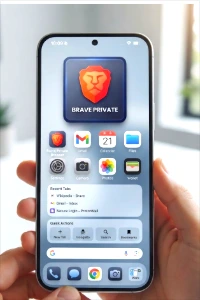
That’s the default experience of browsing the web with most mainstream browsers — and it’s exactly the problem Brave Private Browser was built to fix. Rather than bolting privacy on as an afterthought or an extension you have to configure yourself, Brave blocks ads and trackers out of the box, which also makes pages load noticeably faster.
This article covers what Brave actually is, how its built-in privacy and security tools work, its key features, how it stacks up against Chrome, Firefox, Safari, and Edge, and how to get started if you decide to switch.
Table of Contents
What Is Brave Private Browser?
Brave Private Browser is a free, open-source web browser developed by Brave Software, Inc., founded by Brendan Eich (the creator of JavaScript and former Mozilla CTO). It’s built on Chromium — the same open-source engine that powers Google Chrome and Microsoft Edge — which means it supports the vast Chrome extension library while stripping out much of the tracking infrastructure Google builds in by default.
The core idea is simple: instead of asking you to install a separate ad blocker, a tracker blocker, and a handful of privacy extensions to get a locked-down browser, Brave ships with those protections turned on from the first launch. You don’t need to dig through settings menus to get meaningful privacy — it’s the default state.
Key Features of Brave
Brave Shields
Shields is Brave’s umbrella term for its built-in protection system, accessible via the lion icon in the address bar. It handles ad and tracker blocking, fingerprinting protection, cookie control, and script blocking, and it can be adjusted per site if a particular page needs a lighter touch to work properly.
HTTPS Everywhere
Brave automatically upgrades connections to encrypted HTTPS whenever a site supports it, reducing the chance that your traffic is exposed in transit — even on sites that don’t enforce HTTPS themselves by default.
Brave Private Browser Rewards
Brave Rewards is an opt-in system that lets users choose to view privacy-preserving ads in exchange for Basic Attention Tokens (BAT), a cryptocurrency that can be tipped to creators or exchanged. It’s entirely optional — you can ignore it completely, and Brave still functions as a full-featured privacy browser.
Built-In Crypto Wallet
Brave Private Browser includes a non-custodial crypto wallet for storing and managing cryptocurrencies and NFTs directly in the browser, without needing a separate extension. As with Rewards, this is aimed at users already interested in crypto and Web3 — it’s not required for everyday privacy browsing.
Brave Private Browser Search
Brave Search is an independent, privacy-respecting search engine option that doesn’t track your queries or build a profile based on your search history, offering an alternative to routing every search through Google.
Tor Integration
Brave offers a Private Window with Tor, which routes your traffic through the Tor network for stronger anonymity when you need it. This is available on desktop and Android — it is not currently available on iOS.
Firewall + VPN
For device-wide protection beyond the browser itself, Brave Private Browser offers Brave Firewall + VPN, a separate paid subscription service. This is distinct from Shields: Shields blocks trackers at the browser level, while the VPN masks your IP address and encrypts traffic at the network level.
Speed & Performance
Because Shields blocks ads and trackers before they load rather than after, pages tend to render meaningfully faster than on browsers that leave that content running. The exact speed gain varies by site and connection, so treat any specific multiplier as illustrative rather than a guarantee — see Brave’s official site for their current performance claims.
Cross-Platform Sync
Brave can sync bookmarks, history, and settings across your devices using an end-to-end encrypted sync chain that doesn’t route your data through Brave’s own servers for storage.
Privacy and Security Benefits
Blocking trackers isn’t just about fewer creepy retargeted ads — it directly reduces the amount of behavioral data that advertisers and data brokers can collect and resell about you. Every tracker that never loads is one less data point tied to your browsing habits.
Fingerprinting protection addresses a subtler tracking method: even without cookies, sites can often identify you by the unique combination of your device, fonts, and browser settings. Brave’s fingerprinting defenses work to make that combination less distinctive, so you’re harder to single out across different sites.
![A promotional banner for "Brave Private Browser: Your Digital Privacy, Simplified." The left side features the dark square Brave Private Browser app icon with its orange lion-head shield logo and "BRAVE PRIVATE" text. To its right, a bulleted list details key features: [Shield icon] "Built-in Ad & Tracker Blocker," [Key icon] "Enhanced Private Search," [Globe icon] "Access Geographically Restricted Content," [Lock icon] "Secure & Encrypted Connection." The right side displays translucent, layered UI windows for "Recent Tabs" (Wikipedia, Gmail) and "Quick Actions" (New Tab, Incognito buttons). The background is a blurred modern office with desk plants, and the bottom text reads: "Download Now on iOS & Android" with Apple and Android app store logos.](https://apkgar.com/wp-content/uploads/2026/08/brave-private-browser-promotional-banner-features.webp.webp)
How to Get Started with Brave
- Visit the official Brave website at brave.com or your device’s official app store (Google Play or the Apple App Store). Only download Brave from these official sources — avoid third-party mirrors or modified APK files.
- Download and install Brave for your platform — Windows, macOS, Linux, Android, or iOS are all supported.
- Set Brave as your default browser and use the built-in import tool to bring over bookmarks and passwords from your current browser.
- Customize Brave Shields on a per-site basis if a particular page breaks under the default settings.
- Explore Brave Rewards and the built-in wallet, if you’re interested — both are entirely optional.
Brave is free to download and use, and it remains open-source, so its code is available for anyone to review.
Brave vs. Other Browsers
| Feature | Brave | Chrome | Firefox | Safari | Edge |
| Ad blocking by default | Yes | No | No | Limited | No |
| Tracker blocking by default | Yes | No | Yes | Yes | Limited |
| Built-in fingerprinting protection | Yes | No | Partial | Partial | No |
| Chrome extension support | Yes (Chromium) | Yes | No | No | Yes |
| Crypto wallet / Web3 features | Yes | No | No | No | No |
| Private search option | Brave Search | No | No | No | No |
| Built-in VPN (paid add-on) | Yes | No | Mozilla VPN (separate) | No | Edge Secure Network (limited) |
| Data collection by default | Minimal | Extensive | Moderate | Moderate | Extensive |
Chrome remains the most convenient choice if you’re deeply embedded in Google’s ecosystem (Workspace, Google Sync, etc.), and Firefox is a strong pick for users who specifically want a non-Chromium, open-web-standards browser. Safari has solid built-in tracker protection but is limited to Apple platforms. Brave’s distinction is combining Chromium compatibility with privacy protections turned on from the start, so you’re not choosing between convenience and privacy.
Pros and Cons of Brave
| Pros | Cons |
| Strong privacy protections enabled by default, with no manual setup required | Brave Rewards and the crypto wallet may not appeal to users who only want a privacy browser, and the onboarding UI does nudge toward them |
| Faster page loads since ads and trackers are blocked before they render | Aggressive Shields settings can occasionally break checkout forms, embedded video, or other page functionality — usually fixable by lowering Shields for that site |
| Built-in ad and tracker blocker, no extensions needed | Crypto/Web3 features add complexity some users simply don’t need |
| Optional BAT rewards, built-in non-custodial crypto wallet, full Chrome extension compatibility, open-source and independently auditable | The VPN is a separate paid subscription, not a free bundled feature |
Tips for Maximizing Privacy with Brave
- Keep Brave Private Browser updated to the latest version so you get current filter lists and security patches.
- Set Shields to a stricter mode on sites where you want maximum blocking, and dial it back only where a page genuinely breaks.
- Use Brave Search or DuckDuckGo as your default search engine instead of routing queries through Google.
- Use a Private Window with Tor for sensitive browsing sessions where extra anonymity matters.
- Review and clear cookies periodically, even with Shields active.
- Avoid staying signed into Google services while browsing, since that can undercut some of Brave’s tracking protections.
- Consider Brave Firewall + VPN specifically for public Wi-Fi, where network-level protection matters more than browser-level blocking.
Frequently Asked Questions
Is Brave Private Browser really free?
Yes. The browser itself is free and open-source. The only paid add-on is Brave Firewall + VPN, which is an optional subscription for device-wide protection.
Does Brave Private Browser block all ads by default?
Brave blocks most conventional ads and trackers by default through Shields, though some ad formats or aggressively designed sites can occasionally slip through or require a Shields adjustment.
Is Brave Private Browser safe to use for online banking?
Brave is generally considered safe for everyday use, including banking, though some banking or DRM-protected sites may require Shields set to Standard rather than a stricter mode to function correctly.
Can I use Chrome extensions with Brave?
Yes. Since Brave Private Browser is built on Chromium, it supports the Chrome Web Store’s extension library.
How does Brave compare to Firefox for privacy?
Both are privacy-focused and open-source, but they take different approaches: Brave blocks trackers and ads aggressively by default with zero configuration and runs on Chromium for broad extension support, while Firefox uses its own independent engine and a somewhat lighter default tracking-protection setup that can be manually strengthened.
Does Brave work on mobile devices?
Yes, Brave Private Browser is available for both Android and iOS, though the Tor Private Window feature is currently only available on desktop and Android, not iOS.
Conclusion
Brave’s core pitch is straightforward: privacy and speed that work by default, not privacy you have to configure yourself with a stack of extensions. Between Shields, HTTPS upgrading, fingerprinting protection, and full compatibility with the Chrome extension ecosystem, it offers a genuine alternative for anyone tired of being tracked across the web — without asking you to give up the browsing experience you’re used to.
The crypto and rewards features are there if you want them and easy to ignore if you don’t, so you’re never forced into anything beyond a faster, more private browser. If that sounds like what you’ve been looking for, download Brave Private Browser today directly from brave.com and take back some control over your own data.




