APK Award Apps Download – What “Award Apps” Actually Means & How to Install Safely
now
7.25MB
V1.1.69
251
Description
If you’ve searched for APK Award Apps Download, there’s a good chance you were expecting a single, clear result — one app, one official page, one download button. The reality is more complicated, and it’s worth explaining honestly before pointing you toward any download link.
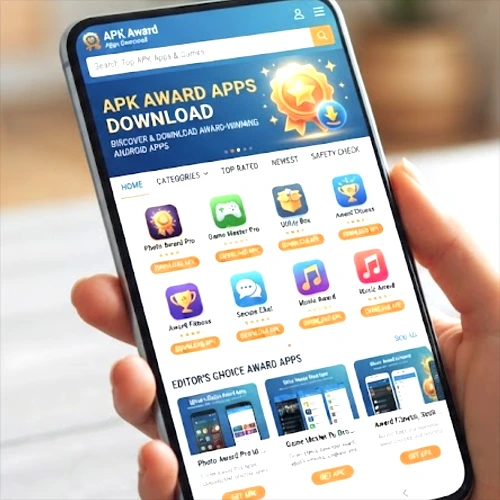
“Award Apps” isn’t the name of one specific, well-known Android application. When you search for it, you’ll run into at least three different, unrelated results using similar names: a legitimate corporate rewards app, an old “earn money” app with no real track record, and a third-party APK distribution app that was actually removed from the Google Play Store. This guide walks through what each of those actually is, so you can figure out which one (if any) is what you were really looking for — and, more importantly, how to evaluate any APK safely once you know.
Table of Contents
What Are APK Award Apps?
Based on what’s currently searchable, “Award Apps” points to a few genuinely different products rather than one app with a consistent identity:
awardsapp, developed by Achievement Awards Group, is a real, currently available Android app on Google Play. It’s a corporate rewards and loyalty management tool — it lets users view, manage, and redeem rewards or points earned through an employer or loyalty program, primarily aimed at South African users. If this is what you were looking for, it’s the closest thing to a verified, official “Award Apps” product, and it should be downloaded directly from Google Play rather than a third-party APK site.
“Award App” (also listed under a Thunkable-based package name) is a much older, low-profile app described as “a way to earn money.” It has no meaningful download or review history, was never listed on Google Play, and there’s no reliable way to verify its developer, safety, or legitimacy. This is not something this guide can recommend.
APKAward – Game Mods & APK is a third-party Android app that describes itself as a catalog of game mods, “unlocked” premium features, and modified APKs. It’s worth being direct about this one: it was removed from the Google Play Store, had no user ratings, and a relatively small download count before it was taken down. Apps built around distributing modified or cracked versions of paid games carry real legal and security risks, and this guide will not walk through how to install it.
If none of these match what you were actually searching for, the specific “Award Apps” you have in mind may be a smaller, region-specific, or newly released app that isn’t well indexed yet — in which case, the safest move is to search for its exact developer name directly on Google Play rather than relying on a generic APK site.
APK Award Apps Download Overview
| Information | Details |
| Search term | Award Apps / APK Award Apps Download |
| Matches found | Multiple unrelated apps sharing similar names |
| Verified official app | awardsapp (Achievement Awards Group) — available on Google Play |
| Category | Varies — rewards/loyalty app, or unverified “earn money” app, or third-party mod/APK distributor |
| Recommended source | Google Play Store, for the verified awards app listing |
| Apps not recommended | “Award App” (unverified), APKAward – Game Mods & APK (removed from Google Play) |
Because “Award Apps” doesn’t refer to one single, stable product, this table can’t responsibly list a single version number, file size, or permissions list — those details depend entirely on which specific app you actually mean.
Why Users Search for “Award Apps APK”
A few different searches likely lead people here:
- Looking for a specific rewards or loyalty app remembered only by a partial name.
- Trying to find a game-mod or “unlocked APK” catalog after seeing it mentioned elsewhere.
- Searching generically for “award” plus “apps” while looking for top-rated or award-winning Android apps in general, rather than a specific product called “Award Apps.”
- Trying to reinstall an app after it was removed from their device or from Google Play.
If your intent was actually the third case — looking for well-reviewed, “award-winning” Android apps generally — that’s a different kind of search than looking for one named product, and it’s worth rephrasing your search with the actual app category you’re interested in (games, productivity, photo editing, and so on) for better results.
How to Download an APK Safely (General Guide)
Since this guide can’t responsibly walk through installing an unverified or delisted app, here’s how to evaluate and install any APK safely, whichever app you land on:
- Confirm the app’s real identity. Check the developer name, and search for it independently rather than trusting a single download page.
- Check your Android device. Confirm your Android version and available storage before downloading anything.
- Choose Google Play first. If the app is listed there, install it from Play rather than a third-party APK site — Play Protect scans apps automatically, which APK sites generally don’t offer.
- Verify the file if you must use a direct APK. Compare the version number and developer name against what the official source lists, and use an antivirus scan that supports APK files if one is available to you.
- Install carefully. Android will prompt you to allow installation from an unknown source the first time you install an APK outside Google Play — only allow this for a source you’ve already vetted, and don’t leave the setting broadly enabled afterward.
- Review permissions before opening the app. Be suspicious of any permission request that doesn’t match what the app is supposed to do.
- Update through a trusted source. If you didn’t install through Google Play, you’ll need to manually check for updates from the same source you originally used.
Is APK Award Apps Download Safe?
This depends entirely on which “Award Apps” you actually mean, which is exactly why identifying the correct app matters before installing anything.
- awardsapp, being available directly on Google Play, benefits from Google’s standard app review and Play Protect scanning — a meaningfully safer starting point than an unverified APK file, though no app is risk-free and you should still review its requested permissions before using it.
- The unverified “Award App” has no meaningful safety record to evaluate — there’s no way to confirm it’s free of malware, and this guide can’t recommend installing it.
- APKAward – Game Mods & APK was removed from Google Play, which is itself a signal worth taking seriously — apps get delisted for a range of reasons, including policy violations related to the kind of modified or cracked content this one was built around. Downloading it now would mean getting it from an unofficial source with no platform-level review at all, on top of the copyright concerns tied to modded game APKs generally.
Permissions and Privacy
Whichever app you’re evaluating, compare its permission requests against what it’s actually supposed to do. A rewards or loyalty app reasonably needs account and network access to sync your points. It has no obvious reason to need your camera, microphone, or SMS messages. A game-mod distribution app requesting broad notification, advertising, or launcher-level permissions is also worth scrutinizing — these are common in ad-monetized APK aggregators and aren’t always necessary for the app’s stated function.
If you’re ever unsure whether a requested permission makes sense, that uncertainty is itself a reason to hold off on installing.
Award Apps Android Compatibility
Compatibility requirements vary by which specific app you’re installing, and this guide won’t invent numbers for products that don’t have one verified specification. For awardsapp specifically, check the current Google Play listing for the minimum Android version, since Play always displays the up-to-date requirement for the version currently offered. For any other app matching the “Award Apps” name, verify compatibility directly on its official listing before downloading, rather than relying on a third-party site’s claims.
Common APK Installation Problems
- APK won’t install: usually an incompatible Android version, insufficient storage, a corrupted download, or a conflicting existing installation. Confirm compatibility and re-download before retrying.
- App keeps crashing: often tied to an outdated version, device incompatibility, or a corrupted install — updating or reinstalling from the original trusted source usually resolves it.
- Download failed: check your internet connection, confirm available storage, and make sure you’re downloading from a source that hasn’t changed unexpectedly.
- App won’t open: try restarting your device, clearing the app’s cache, confirming compatibility, and reinstalling from a verified source if the problem persists.
APK Download vs Google Play Store
| Feature | Direct APK Installation | Google Play Store |
| Installation | Manual, requires enabling unknown sources | Automatic, one-tap |
| Source verification | User must verify independently | Platform-managed listing and review |
| Updates | Often manual | Usually automatic |
| Security checks | Depends entirely on the source | Google Play Protect scanning |
| Delisted apps | Still installable if you find the file | Removed from search and install entirely |
Whenever the app you’re looking for is available on Google Play — as awardsapp is — that’s the safer default over a direct APK, mainly because of the platform-level review and update handling Play provides.
How to Choose a Safe APK Download Website?
If you do need to use a direct APK site for a legitimate reason — regional availability, an app not on Play, or a specific version — check for:
- A secure (HTTPS) connection.
- Clear developer and publisher information matching the app’s known official source.
- Version history and file size information rather than a bare download button.
- A visible privacy policy and contact information.
- No misleading “Download” buttons that don’t match the actual file, and no forced redirects to unrelated pages.
- No requests for permissions that don’t match the app’s described function.
APKGAR.COM aims to provide clear, honest information about Android apps and games — including being upfront, as in this article, when a search term doesn’t map to a single verifiable product.
What is APK Award Apps?
It’s not one single, consistently identified app — the name matches at least three different, unrelated products, including a legitimate rewards app and an APK distributor that was removed from Google Play.
What is APK Award Apps Download?
It refers to the general search for downloading whichever app someone means by “Award Apps.” Because the name is ambiguous, the safest first step is confirming which specific app you’re actually looking for.
How can I download Award Apps APK?
If you mean the rewards app, download awardsapp directly from Google Play. This guide doesn’t provide download steps for unverified or delisted apps sharing similar names.
Is Award Apps available for Android?
awardsapp is currently available on Google Play. The other apps matching the name are either unverified or no longer listed there.
How do I install Award Apps APK?
For awardsapp, install directly through Google Play using its standard one-tap process — no manual APK installation is needed.
Is Award Apps APK safe?
It depends entirely on which app you mean. The Google Play-listed awardsapp benefits from platform review; the other name matches don’t have a comparable safety record.
What Android version does Award Apps require?
This varies by app — check the current Google Play listing for awardsapp’s specific requirement rather than relying on a fixed number here.
Why is an Award Apps APK not installing?
Common causes include an incompatible Android version, insufficient storage, or a corrupted download file — see the troubleshooting section above.
How can I update Award Apps?
If installed through Google Play, updates happen automatically. If you installed a direct APK from another source, you’ll need to check that same source manually for new versions.
Can I install Award Apps without Google Play?
For Award Apps, Google Play is the recommended and verified installation method. This guide doesn’t recommend manually installing the other apps sharing the “Award Apps” name.
Conclusion
APK Award Apps Download isn’t a search with one clean answer — the name matches a legitimate rewards app, an unverified earn-money app, and a mod-distribution app that’s since been removed from Google Play. If you were looking for the rewards platform, awardsapp is available directly on Google Play and is the version worth installing. If you were hoping for a mod or “unlocked” game catalog, it’s worth knowing that the closest match to that name didn’t survive Play’s review process — which is itself useful information before deciding whether to seek it out elsewhere.
Whichever app you’re actually after, verify its developer and source before installing, prefer Google Play whenever it’s available, and treat any app removed from an official store as a signal to double-check rather than a reason to look harder for a workaround.